BINHEX CLOUD · AI FOR ACCOUNTING
AI for accounting and invoicing with BinHex Cloud.
Emma helps prepare invoice data and accounting drafts in BinHex Cloud business software. Explore our AI agents for businesses.
Free plan available. No credit card required.

Can you automate invoicing with AI and stay Verifactu compliant?
AI can help prepare invoice data, but compliance depends on the invoicing system, its configuration and the rules applicable to your business. In VERI*FACTU mode, the system sends invoicing records to the AEAT. Emma can assist with setup in BinHex Cloud; your team reviews the information and confirms the identification method. Check the Verifactu setup before issuing. AI assistance alone does not establish compliance.
THE ACCOUNTING BOTTLENECK
Your books are digital. The work is still manual.
The information is already in your documents and records. Your team should not have to type it again.
Invoices arrive in every format
PDFs, emailed bills and photos still need to become structured accounting records.
Matching takes time
Someone checks suppliers, amounts, dates and related records before anything can move forward.
Compliance adds another layer
Verifactu setup should be guided and checked, without hiding the steps that remain yours.
Emma: AI for accounting in BinHex Cloud
Emma reads financial documents and prepares draft records in BinHex Cloud. Configure the workflow and approval rules for your team before processing live transactions.
What Emma prepares:
- Invoice and bill data
- Supplier and record matches
- Draft accounting entries
- Verifactu configuration steps

HOW IT WORKS
Accounting work, prepared in three steps.
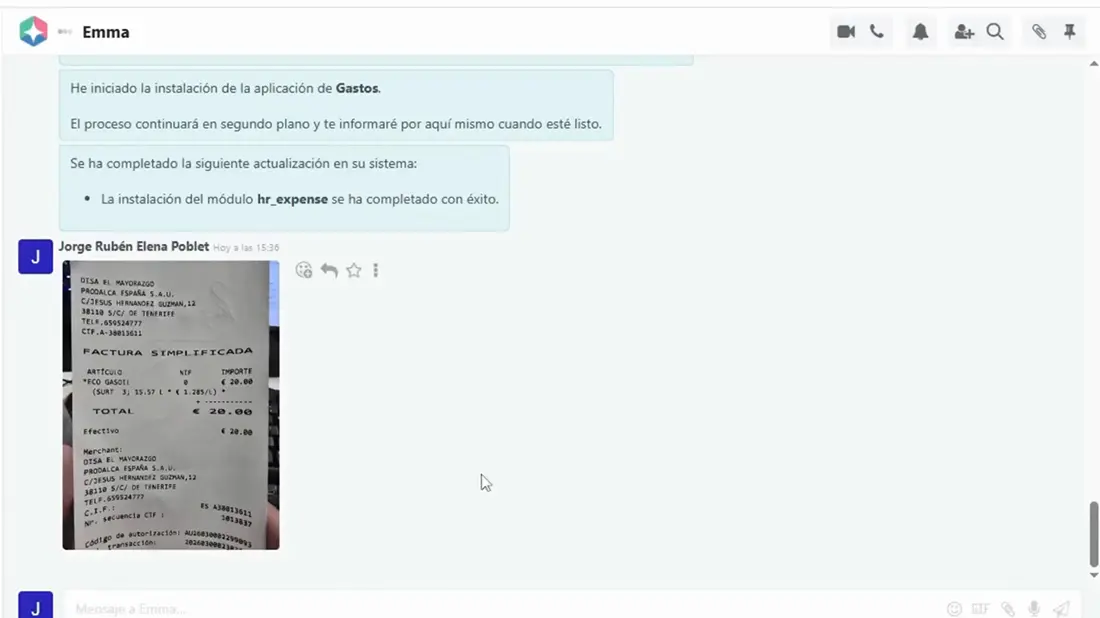
Upload or forward the invoice or expense document.
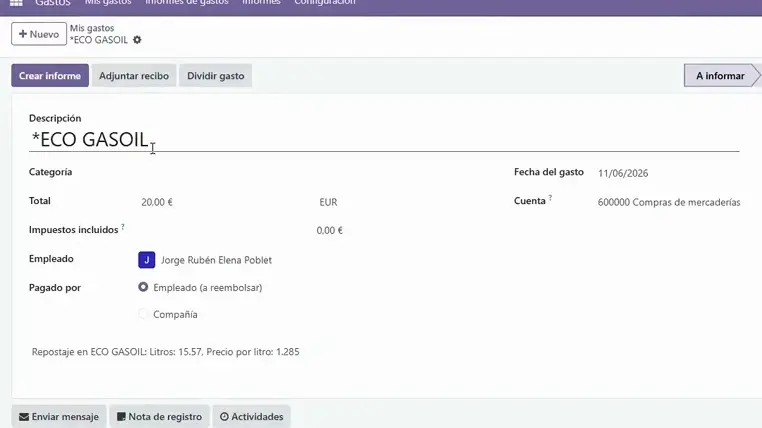
Emma extracts, matches and validates the available information.
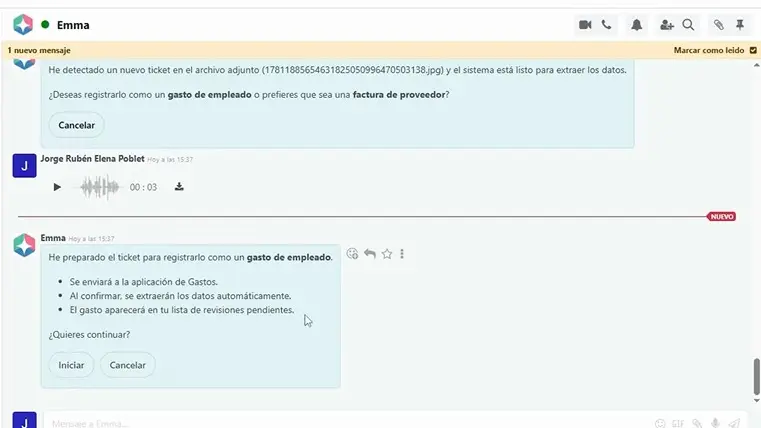
You review the draft before the record is posted and logged.
Existing Odoo or a more complex setup? Discuss your accounting workflow with a specialist →
Invoice preparation and human review
Set the review boundaries for your accounting and invoicing workflow.
| Area | Emma helps with | Your team remains responsible for |
|---|---|---|
| Invoice processing | Extracting supplier, amount and date data | Checking unclear or incorrect information |
| Accounting records | Preparing draft entries | Reviewing and approving each entry |
| Reconciliation | Suggesting matches from available records | Confirming exceptions and unusual transactions |
| Verifactu setup | Guiding the configured setup | Providing valid identification for the chosen route |
| Invoicing records | Preparing structured invoice information | Checking issue data and submission results |
| Data access | Working with available business records | Setting access and review permissions |
Your accountant or tax advisor remains responsible for professional judgment. Confirm which actions are enabled and logged in your setup.
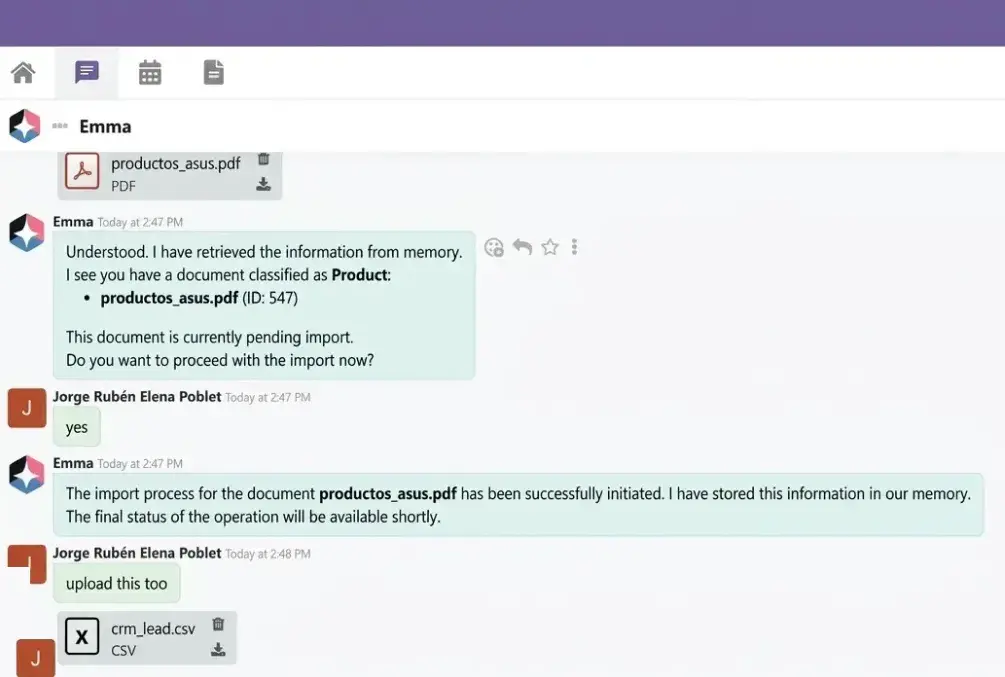
Stop typing invoices into your books.
Emma reads invoices and prepares the draft record.
- Extracts invoice data
- Matches the supplier from your records
- Checks amounts and dates
- Creates a draft for approval
Set up Verifactu in a conversation with Emma.
Tell Emma you want to configure Verifactu for your company. She guides the process step by step:
- Installs the Spanish invoicing setup
- Recommends updating your chart of accounts
- Shows where to provide the certificate for this setup
What to check before issuing
Review invoice details, tax treatment and the submission result. VERI*FACTU concerns invoicing records sent to the AEAT; electronic invoicing is a separate requirement to assess.
The AEAT also allows authorised representatives to submit records. Confirm which identification route your BinHex Cloud setup supports.


Accounting, invoicing and payments in BinHex Cloud.
The finance apps keep records connected while Emma prepares the work.
- Accounting records stay in your ERP
- Invoices post to the ledger
- Payments remain connected
MONTH-END REVIEW
AI for accounting and finance at month-end
Start with complete records and review exceptions before closing the period.
Invoice completeness
Check missing documents, dates and amounts against the source before approving draft entries.
Bank reconciliation
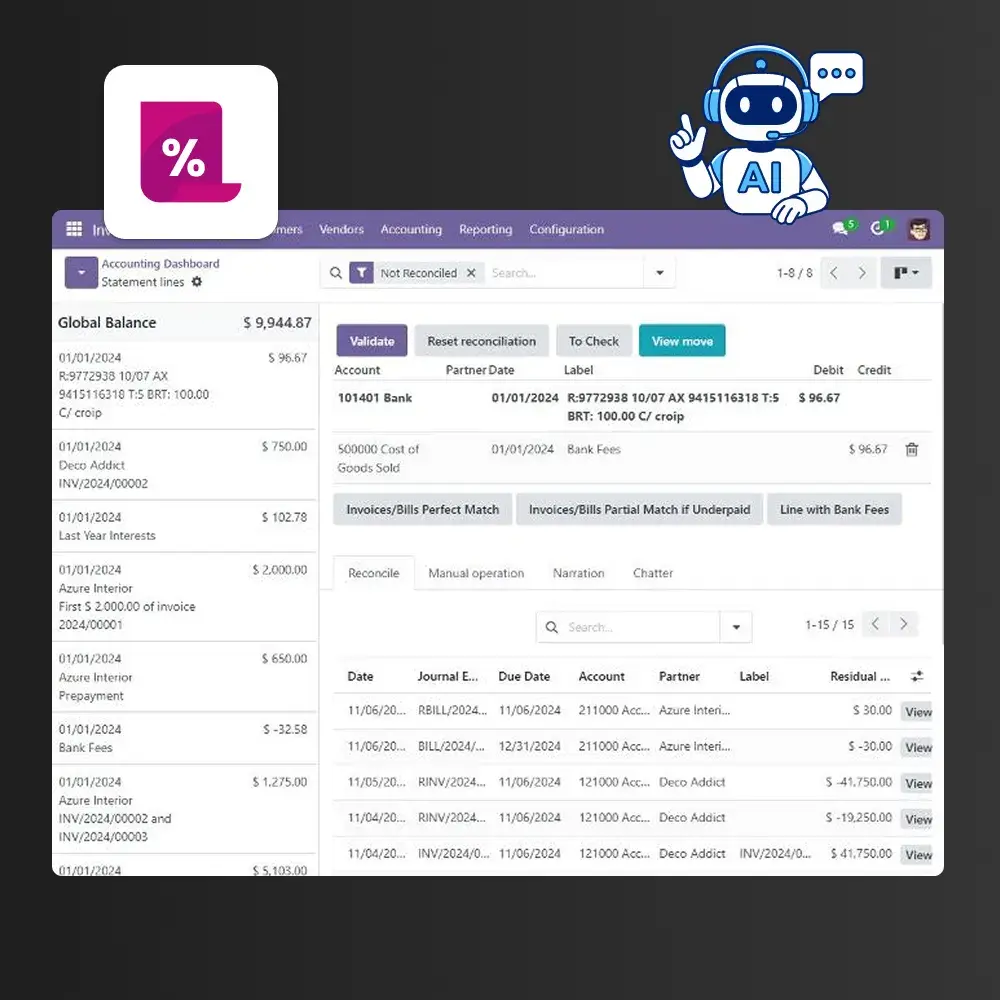
Review suggested matches against the available bank and accounting records. Investigate unmatched items.
Ask about your records
Try a question such as “Which supplier bills are still drafts?” Check the answer against the records you can access.
BinHex Cloud Workspace plans for your business
Priced per workspace, not per user. Professional and Growth amounts shown are monthly equivalents with annual billing. See current conditions on the pricing page.
Free Platform
- 1 user
- Access to all apps
- 1 AI credit /mo
- Verifactu setup included
Professional platform
- 1 to 19 users
- Access to all apps
- 5 AI credits /mo
- Verifactu setup included
Growth platform
- 20 to unlimited users
- Access to all apps
- 15 AI credits /mo
- Verifactu setup included
Explore BinHex Copilot for your existing Odoo
If you want to keep your current Odoo, discuss Copilot with BinHex. The team reviews your installation and accounting workflow before defining the setup and a tailored proposal.
Talk to a Copilot specialistExplore Odoo with AI
Compatibility, scope and timing are confirmed for your installation.
YOUR FINANCE TEAM
A starting workflow for each team
Illustrative starting points to adapt to your documents, volume and responsibilities.
Accounting firms
Agree client access, review responsibilities and exception handling before expanding. Explore accounting.
Connect accounting with the rest of your finance workflow.


The same approach, beyond finance.


RELATED GUIDES AND PAGES
Explore the wider AI finance workflow.

What AI really automates in accounting
What can be automated today and what still needs a person.
Questions you're probably asking
AI can prepare data, but compliance depends on the invoicing system, configuration and applicable rules. Confirm your setup and review the issue and submission process. Explore Verifactu with BinHex Cloud.
Emma extracts invoice information and helps prepare a draft using your supplier records. Check amounts, dates and unclear fields before approval.
Define which actions are enabled and which need approval in your workflow. Test those controls before using live accounting data; do not assume every setup follows the same approval rules.
The BinHex Cloud setup shown here asks you to provide a valid certificate. The AEAT also permits authorised representation for submissions; confirm the route supported by your setup. Emma does not issue certificates.
BinHex Cloud offers Verifactu setup on its free Workspace plan. Check the current conditions and complete the required identification and configuration before issuing invoices.
See the BinHex Cloud Workspace plans for platform conditions. If you already use Odoo, request a tailored Copilot proposal after the team reviews your installation.
No. It helps prepare information and reduce manual entry. Professional judgment, unusual transactions and tax decisions still require the responsible people.
Copilot is the option to assess when you want to keep your current Odoo. The team confirms compatibility and the work required for your installation before proposing a setup.
Let Emma prepare the work.
Start with a free workspace, configure your finance workflow and review the first draft on your own data.
Create a free workspaceContact a specialist
No credit card. Last updated: September 2026.