It's the 5th of the month. There are 61 supplier invoices sitting in the accounts inbox, and someone is opening them one at a time: reading the vendor, checking the amount, hunting down the matching purchase order, typing it in. Every single number on those invoices already exists somewhere the ERP can reach.
That gap is the whole difference between a traditional ERP and an ERP with AI. It isn't a nicer interface or a smarter dashboard. It's that an ERP that works on your live records reads what is already there, prepares the next step, and waits for you to approve it.
Every single number on those invoices already exists somewhere the ERP can reach.
What changes, what doesn't, and when the switch is worth it. Reading time: 6 minutes.
In this article:
Traditional ERP and ERP with AI: the difference at a glance
Traditional ERP: a person gathers records, compares them and prepares the next step. ERP with AI: a configured workflow can help gather, compare and draft, subject to the available tools, data and permissions. In both cases, a person remains responsible for checking exceptions and approving consequential decisions. The detailed task-by-task table appears below.
01 What a traditional ERP does and where it falls short
Let's be fair to the filing cabinet first.
A traditional ERP solved a real problem, and solved it properly. Before it, sales kept one spreadsheet, accounting kept another, and the warehouse kept a third, and month-end was an exercise in reconciling three versions of the truth. The ERP put all of it in one place, under one set of rules, with a change log behind every field. Single source of truth, permissions by role, traceability, reporting. None of that is obsolete and none of it disappears in this comparison.
The limitation isn't quality. It's role.
A traditional ERP stores and displays. Everything between "the data exists" and "the work is done" is human: opening the record, reading it, deciding, and typing the result back into the same system that already held the inputs.
That's the hidden cost of manual processes, and it never appears on an invoice. It's spread thin — twenty minutes here, an hour there, in every department, every week — which is exactly why most companies never measure it.
02 What AI adds to an ERP
An ERP with AI adds one layer on top of the system you already have. That layer does three things, in this order.
A- It reads: The agent queries the same records your team queries, under the same role permissions. It doesn't get a master key. If a salesperson can't open the general ledger, neither can the agent working on that salesperson's behalf. Whether the model doing the reading is the one built into the platform or an external one you connect over MCP, the permission model is identical.
B- It proposes: It drafts the output: the journal entry, the follow-up email, the purchase order, the reply to a customer. Drafts, not sends. You see the proposal alongside the record it came from, so you can check the reasoning instead of trusting it.
C- It acts: Once you approve, execution happens inside the ERP and is written to the audit trail: what the agent read, what it proposed, what you approved, and when.
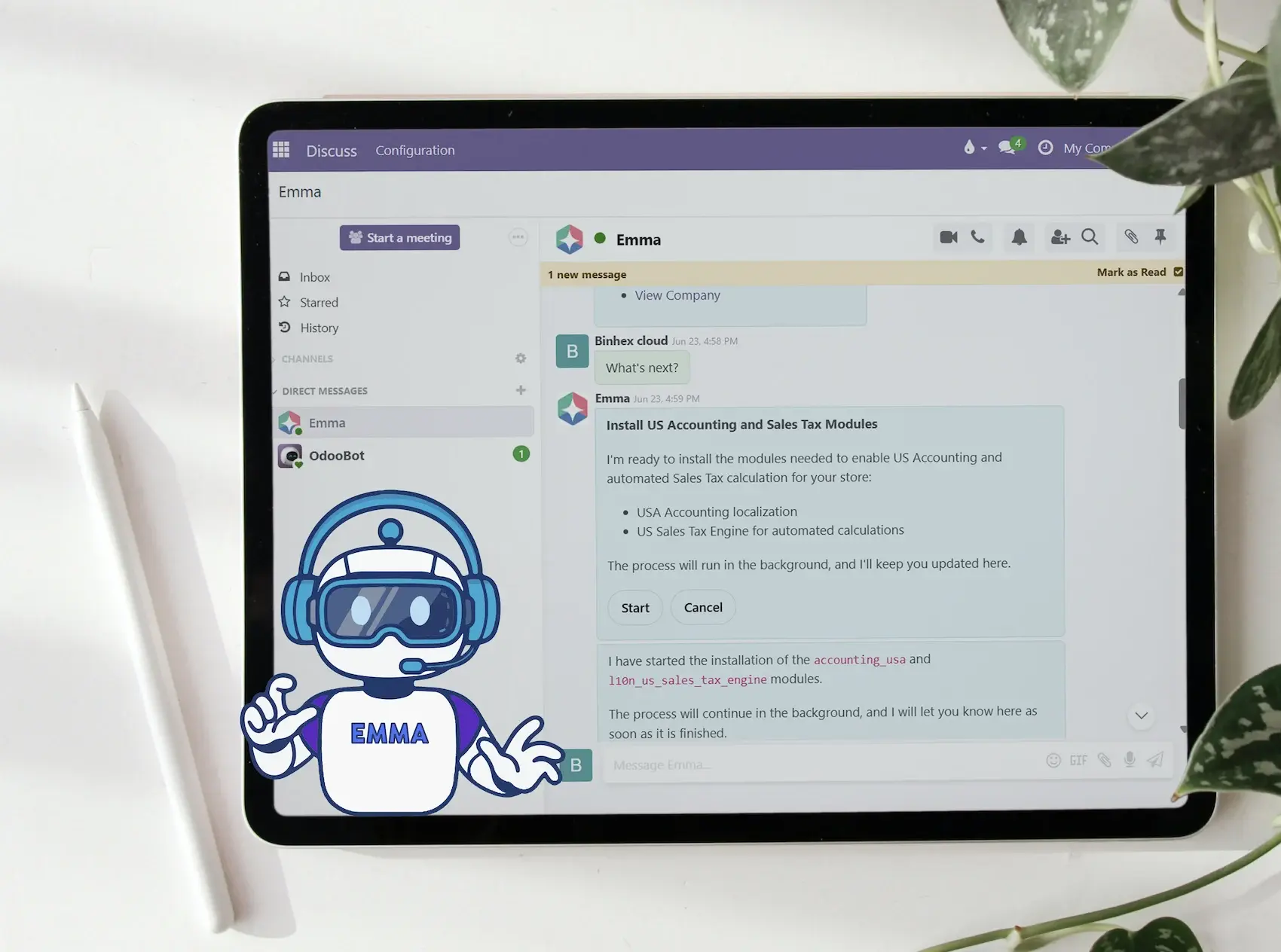
That third step is the line between an ERP with AI and a chatbot bolted onto the side. A chatbot can write you a well-worded email about an invoice. An agent can post the invoice, because it lives inside the system that owns it.
Which leads to the sentence worth remembering from this whole article: AI doesn't change where your data lives or who decides. It changes who prepares the work.
03 A working day, side by side
Feature comparisons are easy to write and hard to use. So here is the same comparison in the only terms that matter on a Tuesday afternoon: the actual task, in the actual department, and what is still left for a person to do.
Delivery note
In a traditional workflow, a person compares the delivery note with the order and records what arrived. With a configured AI workflow, the system can prepare the comparison and highlight differences for review. The person still confirms quantities, damage or exceptions before the receipt is accepted.
Supplier invoice
The manual task is to read the invoice, find the matching order and prepare the entry. AI can assist with extraction and a proposed match when the necessary records are available. A person checks uncertain fields, differences and the final accounting treatment before approving the entry.
Month-end close
A traditional close involves gathering balances, checking outstanding items and resolving discrepancies. AI can help assemble the information and flag items that need attention, but it cannot make incomplete records correct by summarising them. The responsible person reviews the supporting evidence and decides which adjustments to approve.
Purchase order
Without the AI layer, someone combines stock, demand and supplier information to prepare the order. An AI-assisted workflow can prepare a draft using the available records and the rules the business has defined. Quantity, supplier, price and exceptions remain explicit checks before a purchase commitment is made.
Customer service
The traditional task is to find the relevant order or account record and write the answer. AI can prepare a response from approved, current information and pass uncertainty to the team. Complaints, compensation and contradictory records need a clear handover rather than a confident guess.
| Area |
The task
|
Traditional ERP
|
ERP with AI
|
Still needs a person? |
|---|---|---|---|---|
|
Accounting
|
Supplier invoices | Someone opens each bill, finds the purchase order and types the entry | The bill is read, matched against the PO and drafted as an entry | Approving the entry, and resolving whatever the match couldn't |
|
Sales / CRM
|
Follow-ups | Whoever remembers, whenever they remember | Drafted from the full history of the opportunity: calls, emails, quote | Sending it, and reading the commercial relationship |
|
Purchasing
|
Restocking | A person checks stock levels against supplier lead times | Gaps flagged and the purchase order prepared as a draft | Confirming quantity, supplier and price |
|
Customer service
|
"Where is my order?" | Someone opens the record and writes the answer | Answered from the real record, escalated when it isn't clear-cut | Anything involving a claim, a refund or a discount |
|
Management
|
Monthly reporting | Exports, spreadsheets, manual consolidation | Figures assembled from live data, ready to review | Interpreting them and deciding what to do |
If you want the product-level view of that layer (which agents exist, what each one covers by area, and what it costs) that's the ERP with artificial intelligence in detail. This article stays on the day to day.
Advantages of AI over a traditional ERP
The potential advantage is less repeated gathering, transcription and preparation around a task that is already defined. A useful pilot should show whether the proposed work is correct, whether exceptions reach the right person and whether review takes less effort than doing the task manually. Measure those outcomes against the original workflow before claiming a saving or expanding the scope.
04 What AI does not fix
A comparison that only lists gains isn't a comparison, it's a brochure. Here are the six things an ERP with AI does not touch.
- Where your data lives: Same database, same system, same backups. Adding an AI layer is not a migration.
- Your permissions: The agent inherits your role. It never widens it. Sales sees sales, finance sees finance.
- Who is responsible: The decision stays with a person, and the audit trail records which person. Nobody has ever explained an error to an auditor by pointing at a model.
- The quality of your master data: An AI layer on top of a duplicated vendor list and half-filled product records produces tidy nonsense, faster. Clean data first.
- Your legal obligations: Verifactu, SII, the close, the audit. The agent can prepare the work. It doesn't assume the obligation.
- Your accountant or advisor: What changes is where their hours go: less transcription, more judgement. Not whether you need them.
There's one more worth naming, because it comes up in every conversation about external models.
If you connect ChatGPT or Claude to your ERP through the MCP protocol, you decide what that connection is allowed to reach, and whether it's read-only or read and write. The default is not "everything".

AI in business management beyond the ERP
Some work starts outside the ERP: a customer email, a document, a calendar event or a request in another application. Decide where the authoritative record should live and how information will reach it without creating conflicting copies. An external assistant or workflow tool may prepare context, but any change to business records still needs the appropriate connection, permissions and approval rules.
05 When migrating is worth it and when it is not
Not every company should do this now. The signals are fairly reliable in both directions.
It's worth it if:
- A high volume of documents comes in from outside. Supplier invoices, receipts, orders, tickets.
- Your team is growing faster than your headcount budget.
- Follow-ups fall through the cracks, and you only find out from the customer.
- Your processes are already defined. AI accelerates a process; it doesn't invent one.
It isn't worth it yet if:
- Your transaction volume is genuinely low. Twelve invoices a month don't need an agent.
- Your processes aren't written down anywhere.
- Your master data hasn't been cleaned up.
- You depend on undocumented custom development that nobody currently maintains.
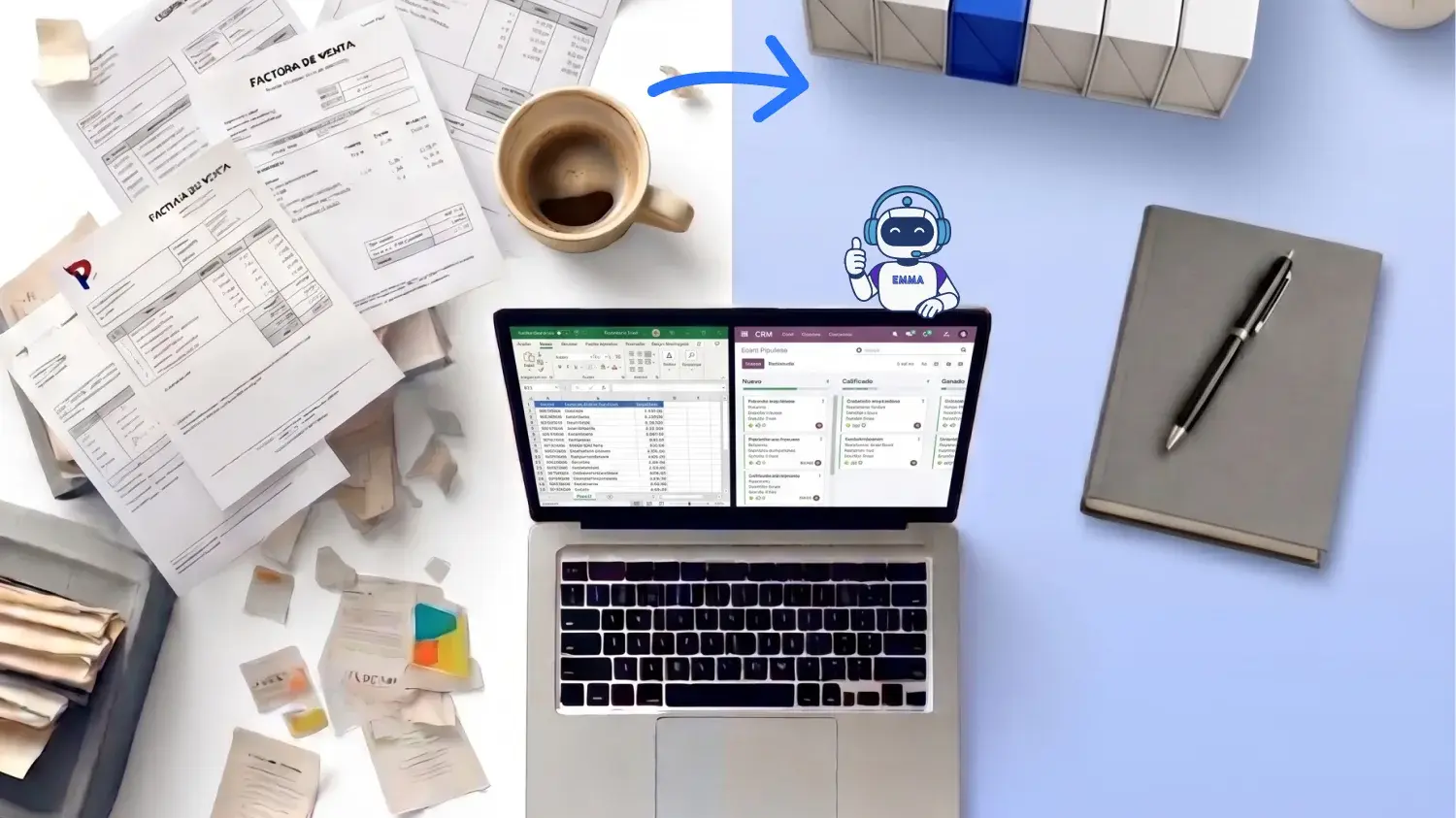
Adding AI and migrating ERP are different decisions. If the current system supports the required workflow with acceptable maintenance and controls, assess that route before replacing it. Consider migration when the underlying system cannot meet the business need, and compare the cost of moving data, integrations, training and ongoing operation. Do not migrate solely because a product advertises AI.
If you already use Odoo and don't want to move anything, you can add agents to the Odoo you already run.
06 Frequently asked questions
The system prepares the work instead of only storing it. Incoming documents are read and drafted as entries, follow-ups are written from the full record history, and stock gaps are flagged before someone notices them. You keep the same data, permissions and final say. What you stop doing is the retrieving and retyping.
A traditional ERP shows you the data and waits for a person to read it, decide and type the result back in. An ERP with AI reads it directly, drafts the next step and executes only after approval, logging everything it did.
Ask for what you need in plain language and get a draft back based on your real records instead of a generic answer: an entry, a reply, a purchase order, a report. Everything runs under your role permissions and with a full audit trail. There's a breakdown by area on the ERP with AI page.
Not if you're already on Odoo. Agents work on the database you have today, with no data migration. Coming from another system, migration is included in every Binhex Cloud plan, including the free one.
No. High-impact actions require explicit confirmation. The agent reads and drafts freely; posting, sending and ordering wait for a person. You can enable or disable AI per user, per team or per process.
Try it on your own data, not on a demo.
Create a workspace, connect your records and ask the agent for the first thing.
KEEP READING
Before you build anything

ERP with artificial intelligence
The ERP that executes instead of only storing. What the AI does in finance, sales, purchasing and support.
The AI agent platform
Every agent available, what each one does, and which areas of the ERP it covers.
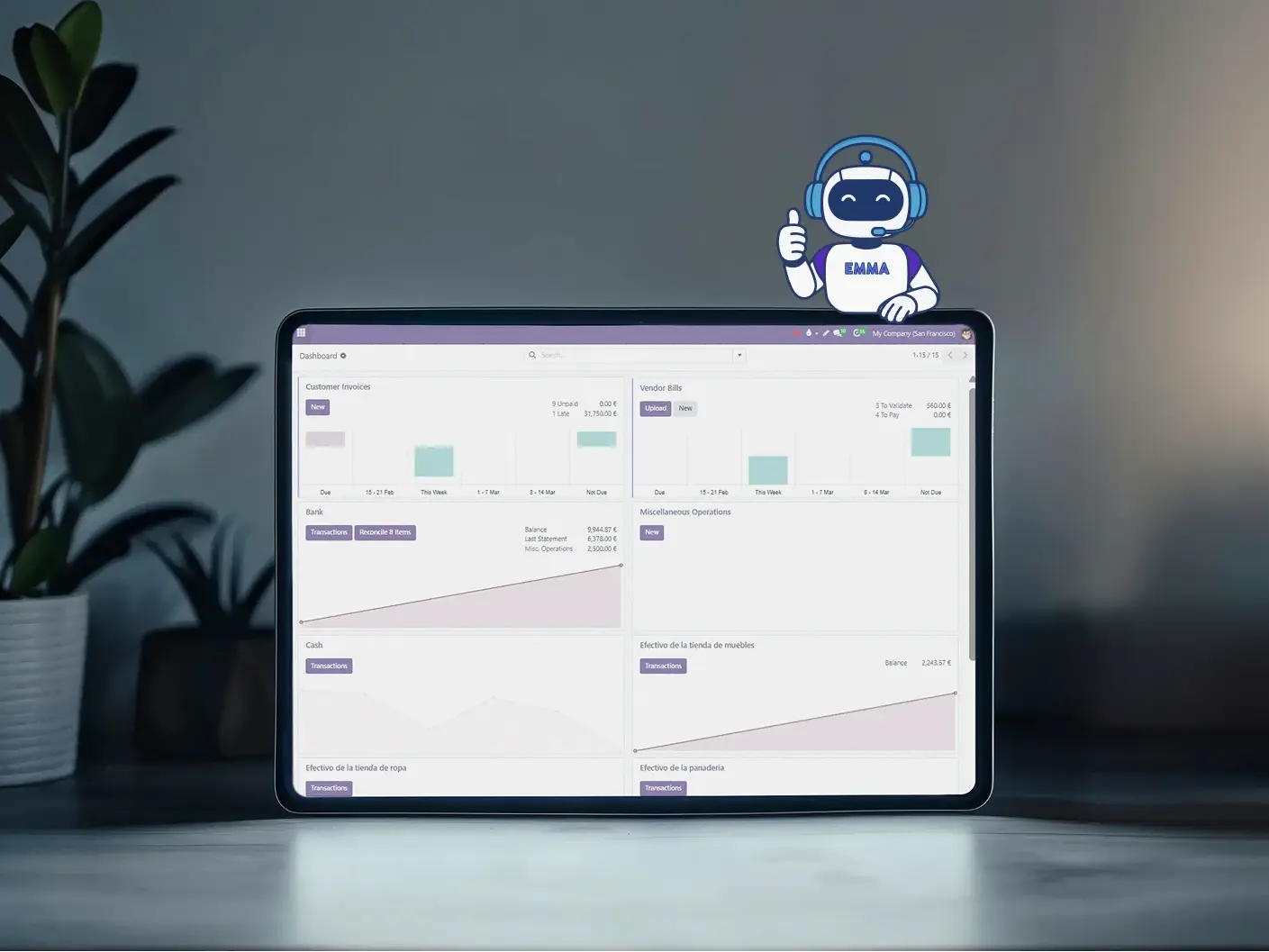
Agents inside your Odoo
Already running Odoo? Add agents to the setup you have today, without migrating.
Empiece a escribir aquí...
Traditional ERP vs ERP with AI: what actually changes day to day