Application for VoIP calling
Make and receive calls from any device, schedule follow-ups, and log everything automatically — connected to CRM, helpdesk, and every app in one system.
Part of the Sales & Marketing applications in Binhex Cloud.
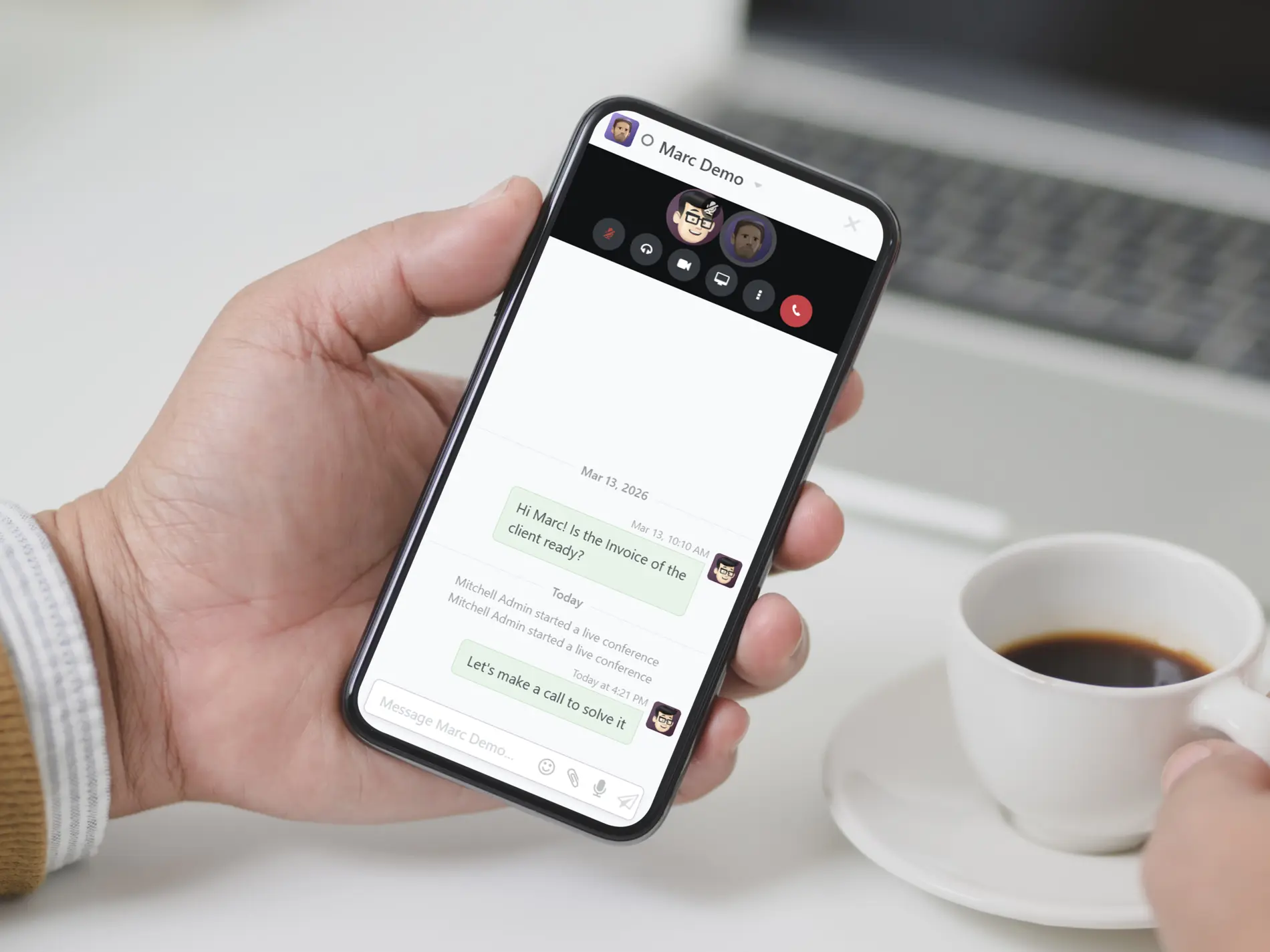
VoIP features you are looking for
Designed for teams that need calling built into their CRM and helpdesk, not a separate phone system disconnected from their work.
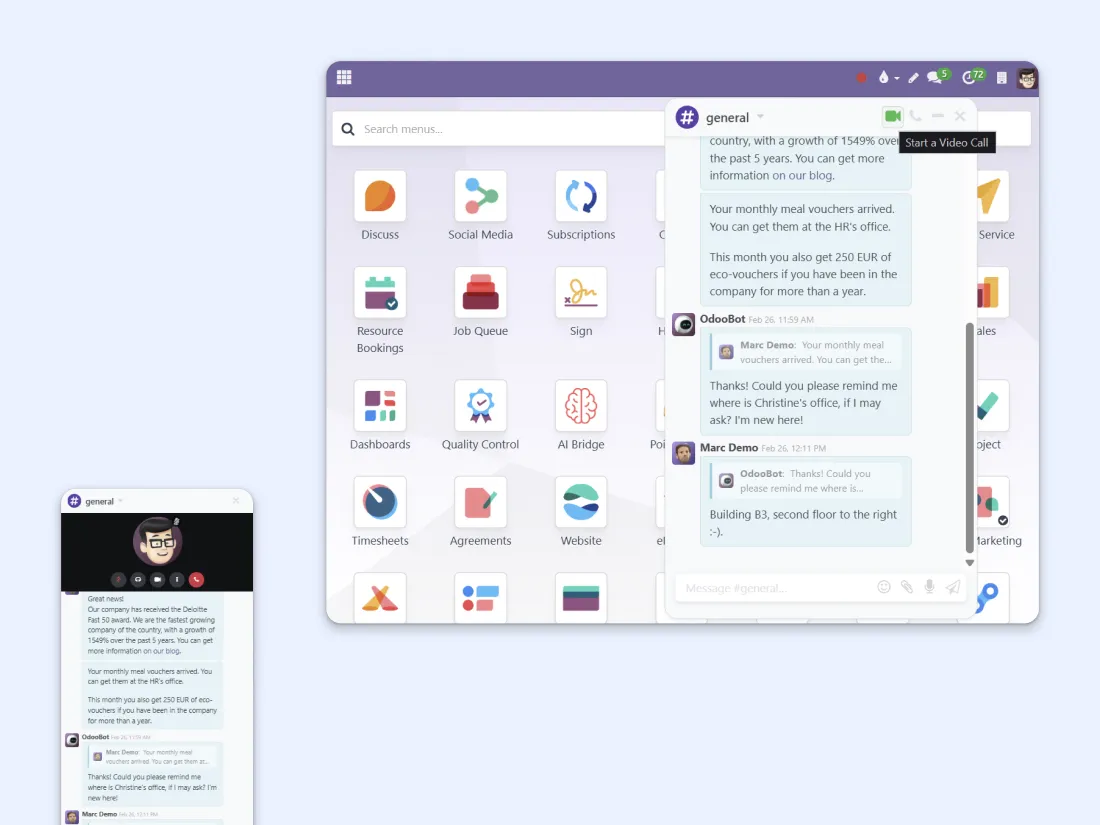
Call from any device, anywhere
Your computer, phone, tablet, or VoIP handset — your choice.
All you need is an internet connection. Make and receive business calls from wherever you work, without being tied to a desk phone or a specific location.
One click to call from any app
Every contact in your ERP is one click away. The VoIP widget integrates directly into CRM, Sales, Helpdesk, Invoicing, and more — so you can call without switching tabs or searching for information.
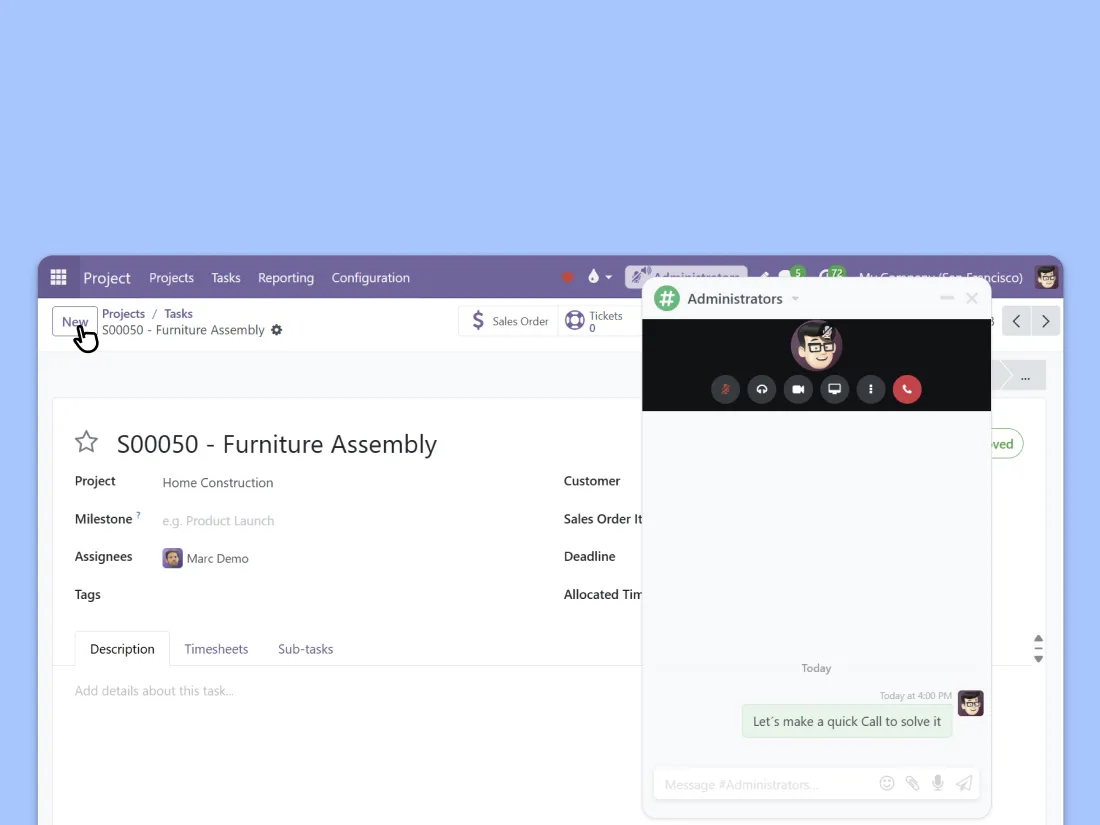
Take action while you're on the call
Schedule a meeting, send a follow-up email, open an opportunity, or check a ticket — all during the conversation. No need to hang up, open another tool, and lose context. Everything happens in the same screen.
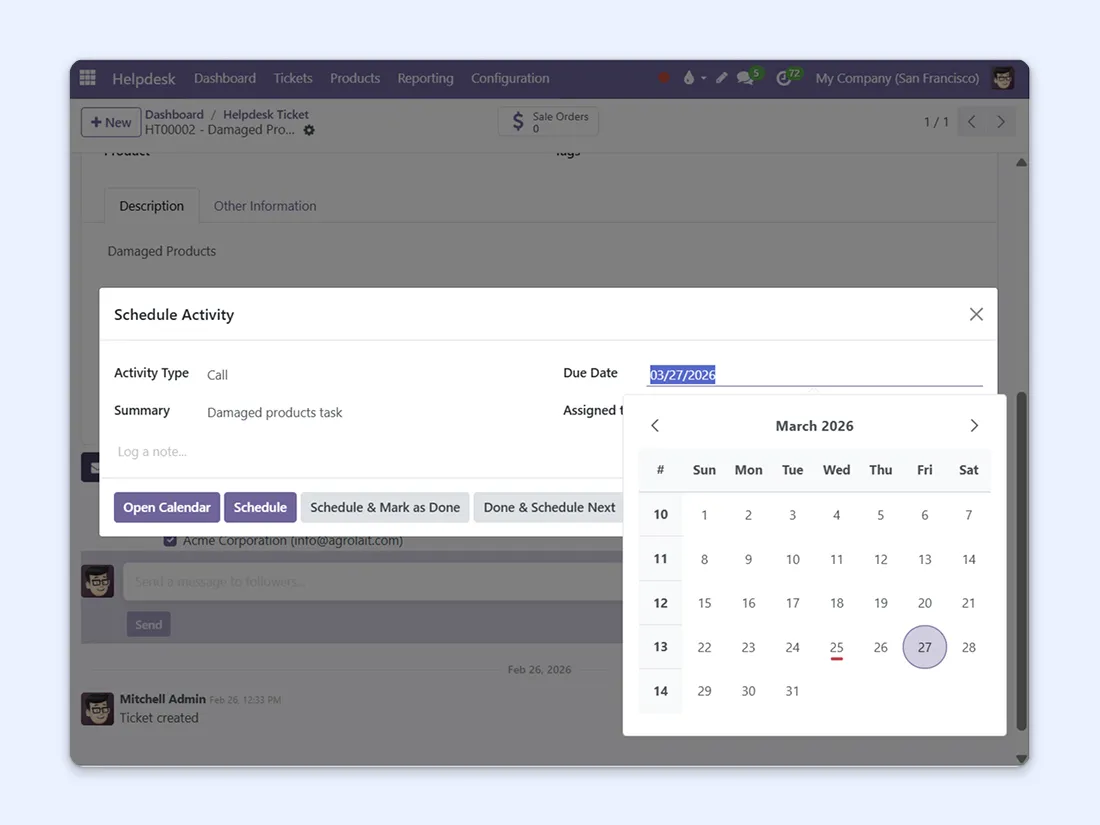
Schedule calls and stay on track
Create call activities from the chatter of any app. VoIP integrates fully into the system, so you can schedule follow-ups from CRM, Sales, or Helpdesk and never miss a callback. Your to-do list just got shorter.
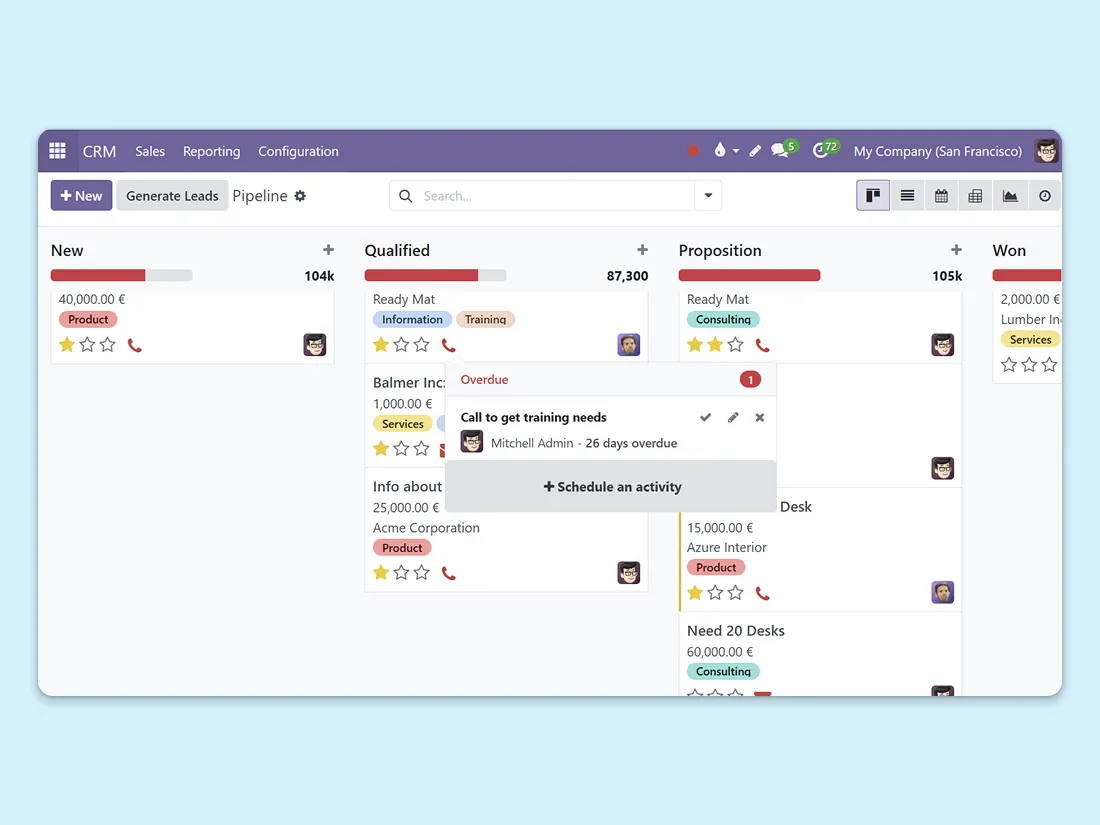
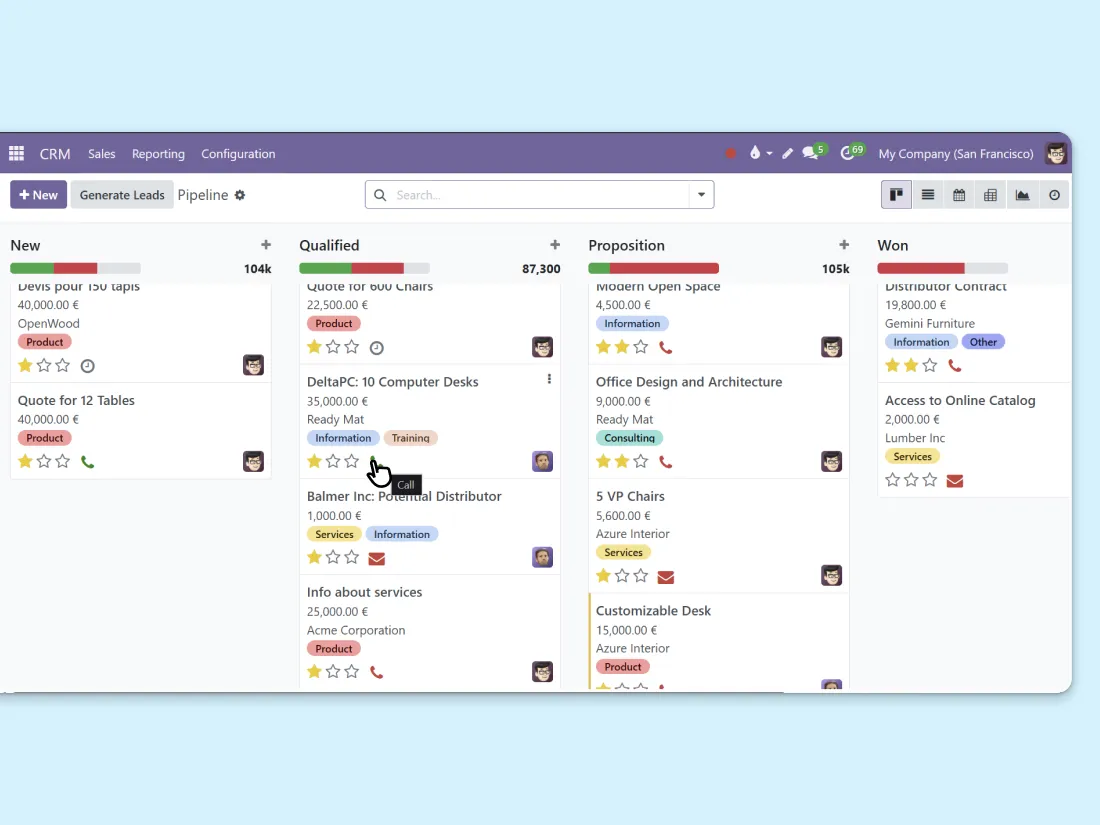
Build call lists from CRM in one click
Hover over a contact card in your CRM pipeline and add them to your call queue instantly. Organize your day with a structured call list — for yourself or your team — without leaving the kanban view.
Try the VoIP app for free
10 days free. No commitment. We help you set it up.
Start free trial Talk to an expertEverything included in VoIP
✔ Calls from desktop, mobile, tablet, or VoIP phone
✔ One-click calling from any Odoo app
✔ In-call actions (email, meetings, notes)
✔ Call scheduling and activity tracking
✔ Call queue and list management
✔ Automatic call logging in contact history
✔ CRM pipeline integration
✔ SIP protocol compatibility

More apps that connect with VoIP
VoIP works alongside CRM, helpdesk, and internal communication — all from the same ERP.


VoIP built on an open source ERP, backed by experts
Binhex has helped companies integrate their communications for 15+ years. We connect your calls to CRM, helpdesk, and every workflow that matters.
" We finally have full visibility from the first lead to the closed deal. No more guessing where things stand. "
Questions you're probably asking
Just an internet connection and a SIP-compatible provider. You can use your computer, smartphone, tablet, or a dedicated VoIP phone — no special hardware required.
VoIP integrates with CRM, Sales, Helpdesk, Invoicing, Contacts, and more. You can make calls from any app that has the chatter — which is essentially every app in Odoo.
Yes. Every call is logged in the contact's history with date, duration, and any notes you add. No manual entry needed — everything is tracked automatically.
Yes. From the CRM kanban view, hover over any contact card and add them to your call queue with one click. You can build structured call lists for yourself or assign them to team members.
Yes. You'll need a SIP-compatible VoIP provider for the telephony service. Binhex Cloud provides the integration layer that connects your provider to the ERP — we can recommend options during setup.