Partner Portal, database management, and token analytics
Manage customers, request databases, monitor token usage, and control partner access — all from a redesigned portal experience.
PlatformJune 25, 2026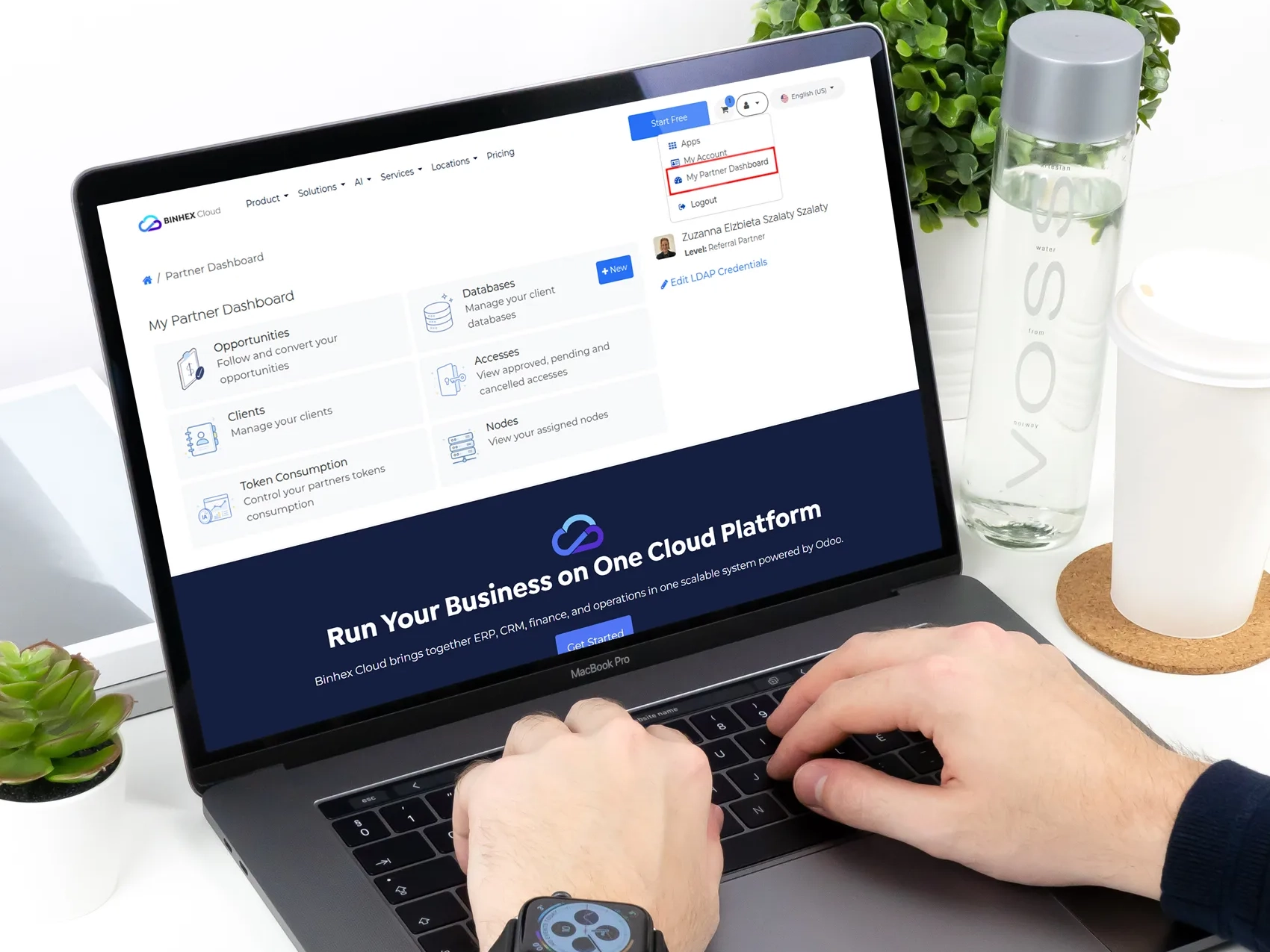
A more connected experience for partners and their customers
This release introduces a new Partner Portal experience, giving partners a dedicated space to manage customers, request environments, access databases, handle credentials, and review usage statistics, all without leaving the website.
The update also covers database provisioning, authentication, subscriptions, infrastructure assignment, and reporting improvements.
1. Partner Dashboard
A dedicated space to manage customers and environments
Overview
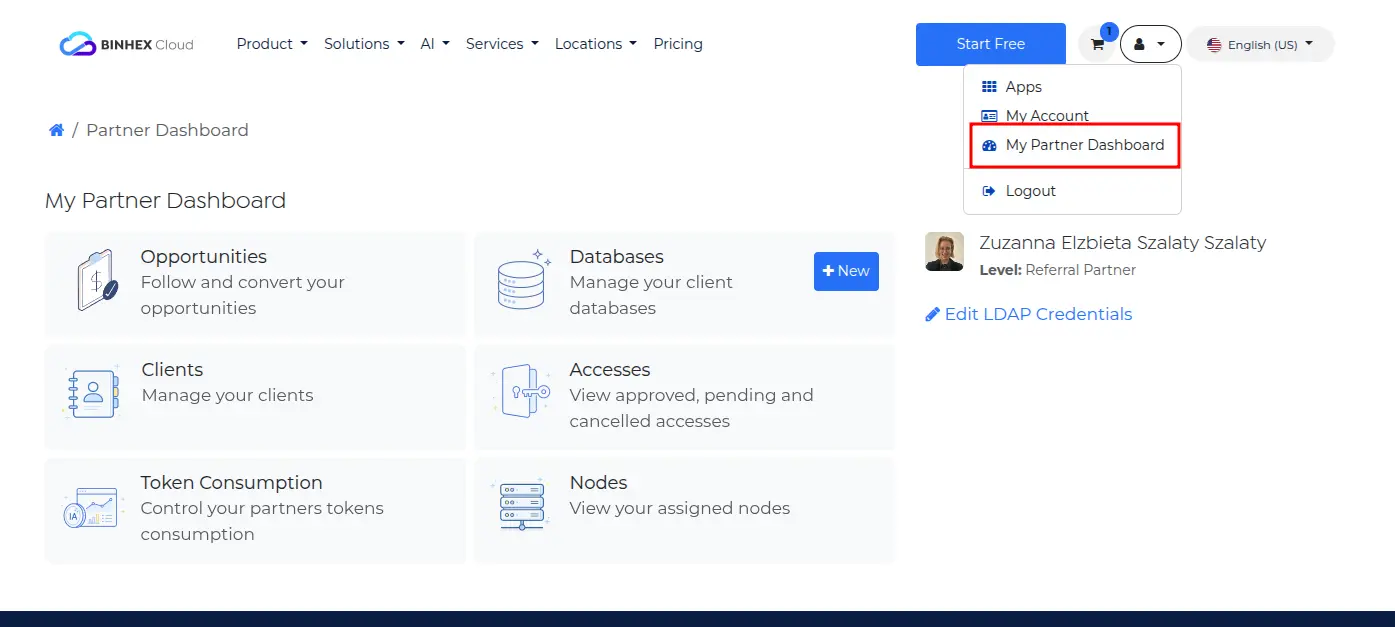
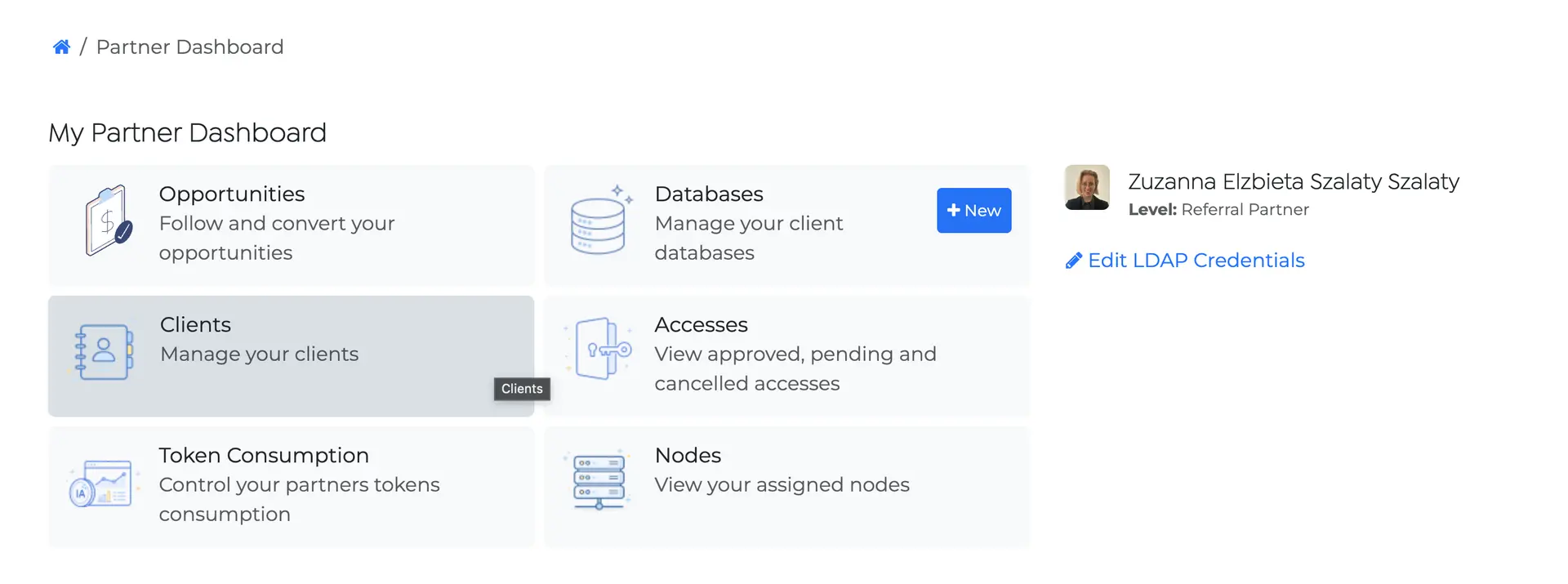
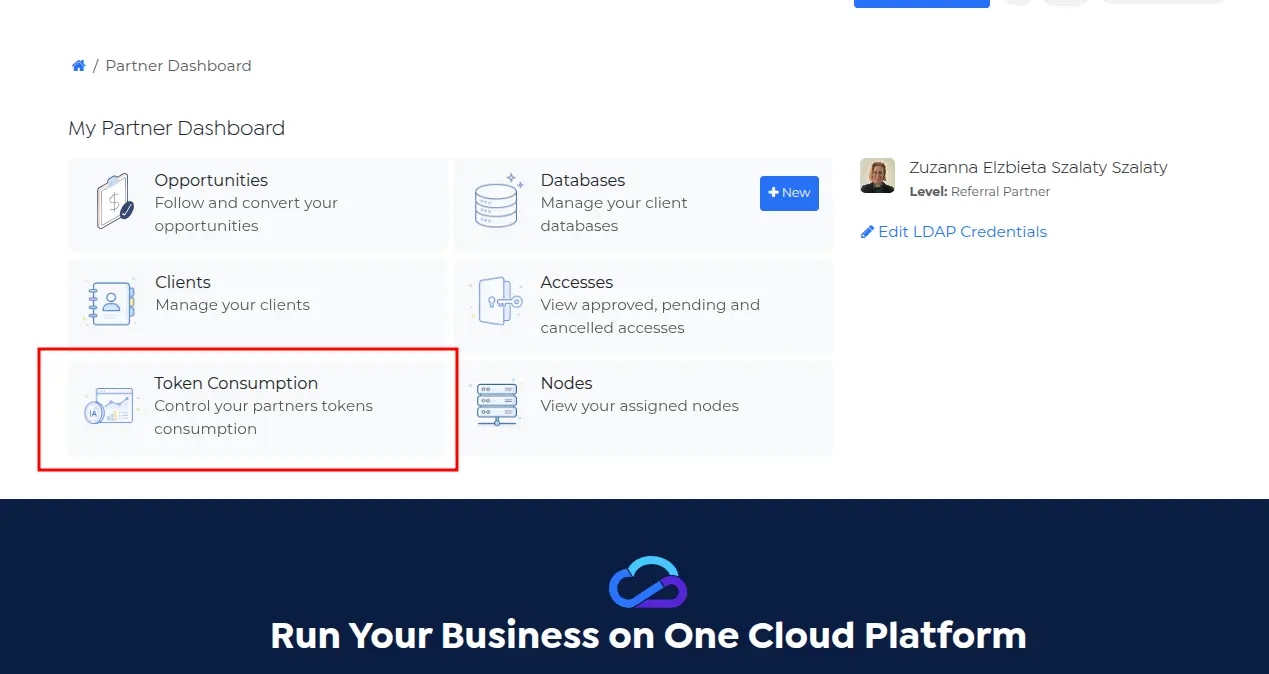
Partners now have a dedicated dashboard in the portal. From a single place, you can manage everything related to your customers and their environments — without involving the internal team for every action.
The dashboard gives you access to:
- Your assigned customers
- Database requests
- Access requests
- LDAP credential management
- Token usage statistics
Access to the Partner Dashboard is restricted to contacts configured as Partners.
Customer Visibility
Your customers don't appear in the dashboard automatically. For a customer to be visible, there must be at least one active CRM Opportunity linking them to you as the partner.
The Opportunity must meet all three conditions:
- The customer is selected on the Opportunity
- You are assigned as the partner on the Opportunity
- The Opportunity is not marked as Lost
When these conditions are met, the system establishes the relationship automatically. The customer becomes visible in your dashboard and you can start creating and managing databases for them.
Database Request Workflow
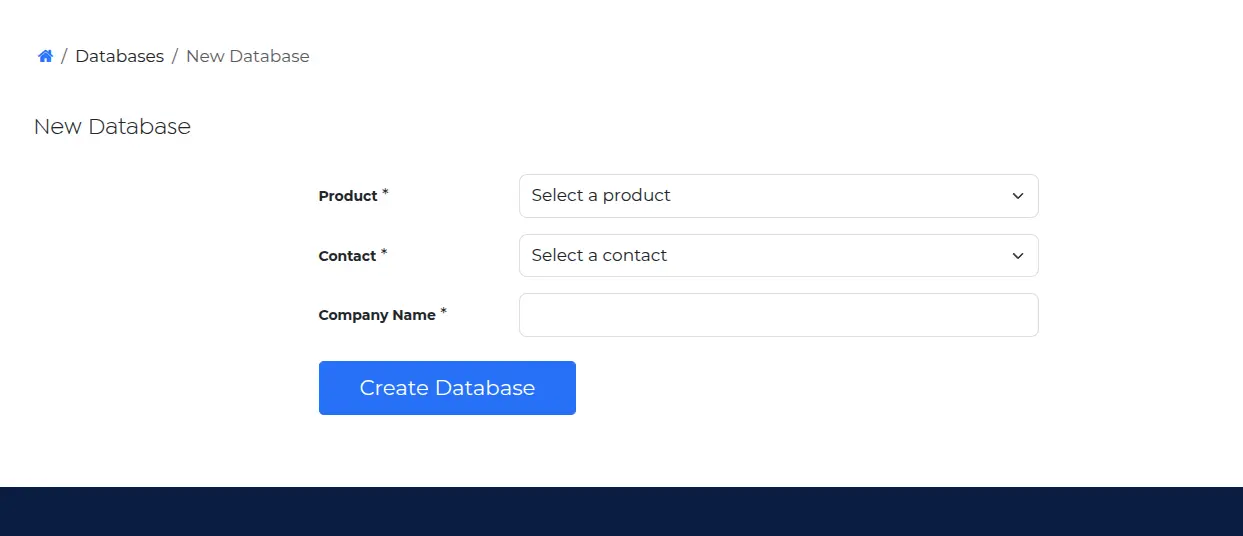
You can request new databases for your customers directly from the portal. The environment is not created immediately — provisioning only starts once the quotation is confirmed, giving you full control before any infrastructure is spun up.
How it works
- Select a customer from your dashboard
- Enter the desired hostname or domain
- A quotation is generated automatically
- Confirm the quotation
- Provisioning starts after confirmation
Customer Ownership Model
Once a database is provisioned, ownership and relationships are assigned automatically:
- The customer becomes the owner of the environment
- You are assigned as the associated partner
- Statistics, access requests, and future management all remain linked to that partner relationship
Customer Login & Password Flow
Each database is provisioned with a single user belonging to the customer. They receive the access email and login instructions directly.
Partners are not automatically created as users inside customer databases.
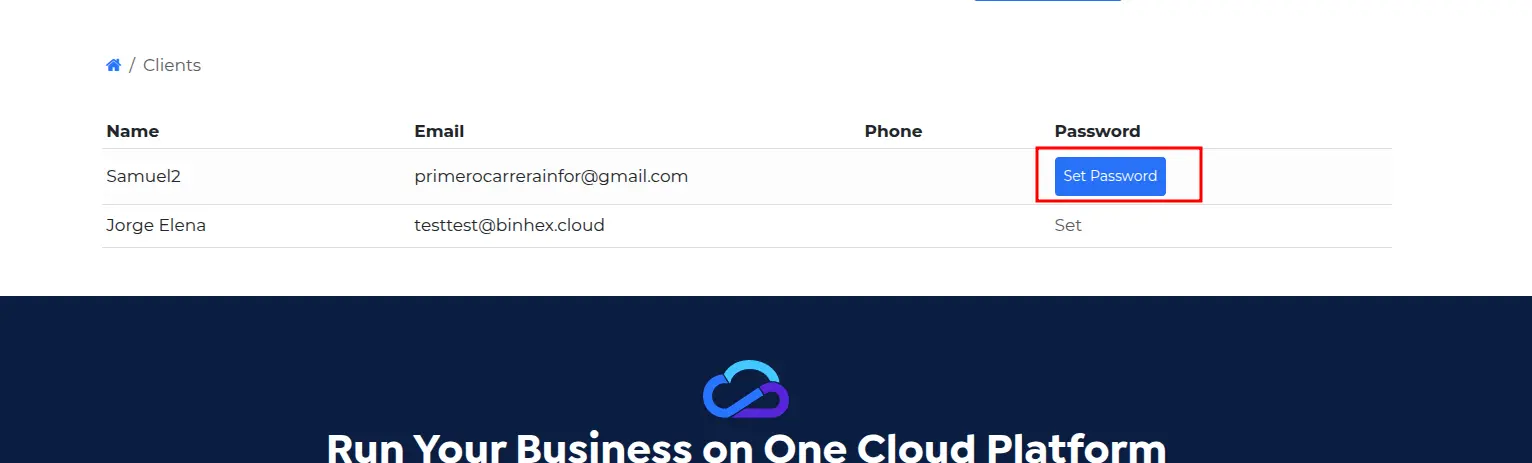
Password Assignment
As a partner, you can configure the customer's password before provisioning. There are two scenarios:
Password already configured: You assign a password to the customer before creating the database. That password is used at provisioning and the customer can log in immediately.
No password configured: The customer receives an email after provisioning and sets their own password. The database uses whatever the customer defines.
Either way, customers always have a valid path to access their environment from day one.
2. LDAP Credentials & Access Management
Manage credentials and access requests from the portal
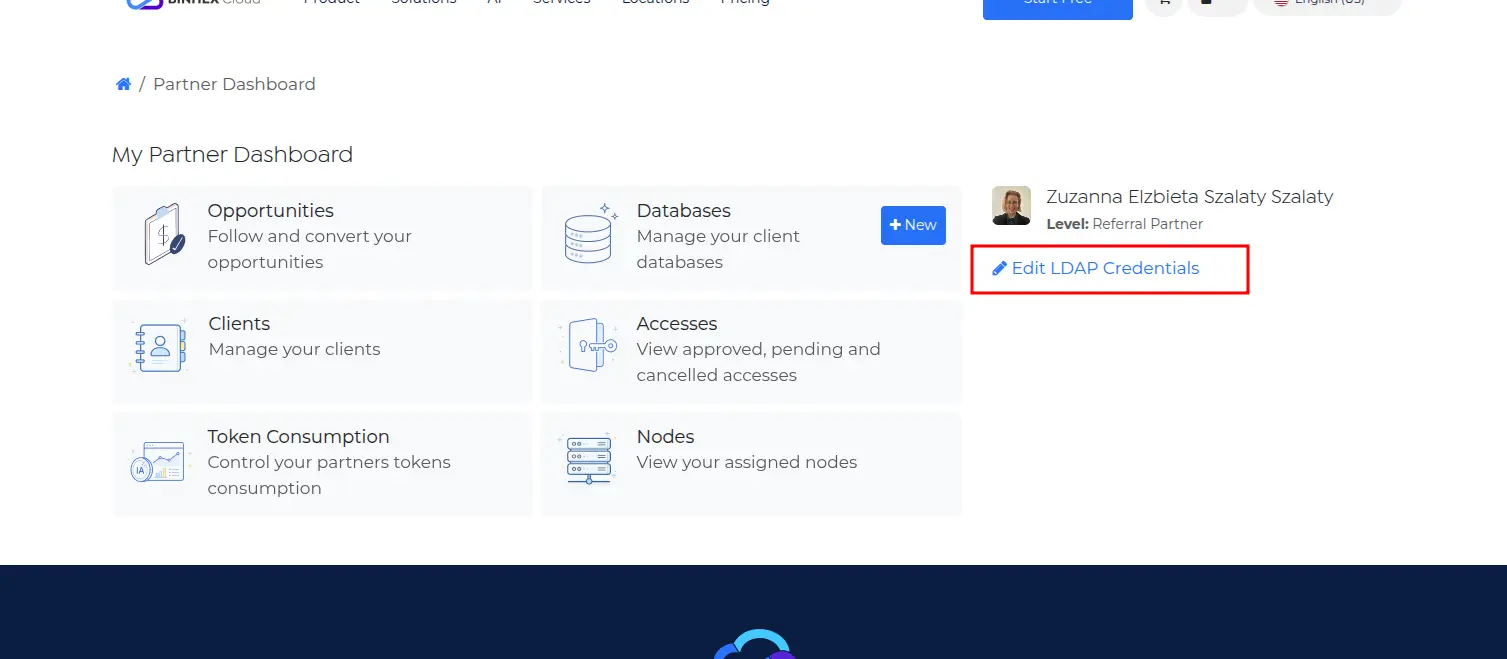
LDAP Credentials
A new LDAP Credentials section in the Partner Dashboard lets you create and update the credentials used to request access to customer environments — no need to coordinate with the internal team for a basic setup.
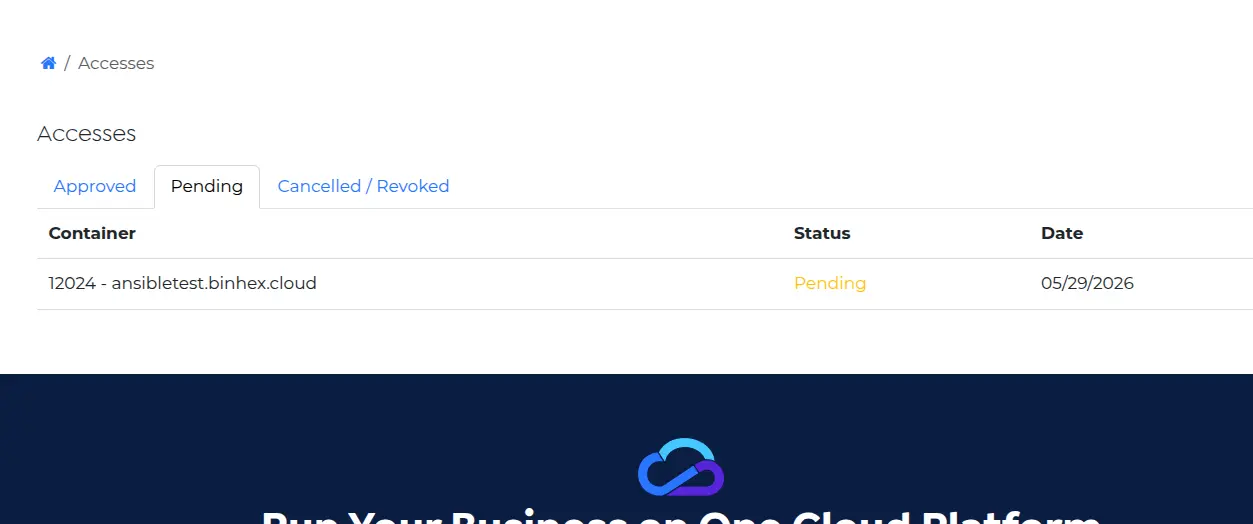
Access Requests
A new Accesses section lets you submit requests to access customer environments and track their status directly from the portal.
Make sure your LDAP credentials are configured before submitting an access request.
3. Database Management
A redesigned database list with full lifecycle controls
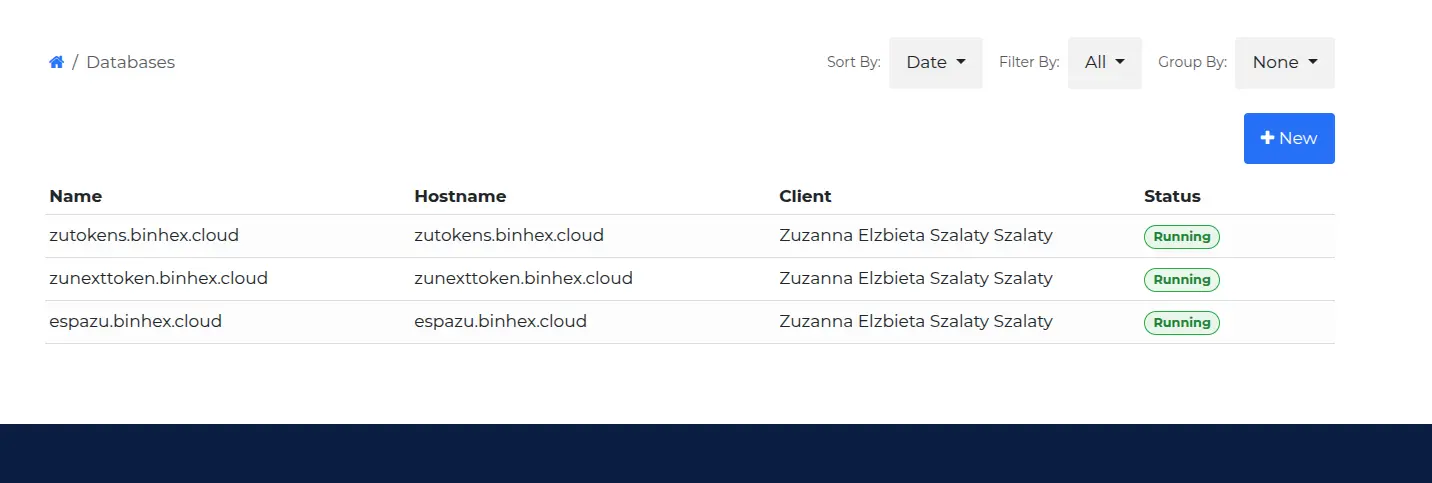
Enhanced Database List
The Databases page has been redesigned to make it significantly faster to find and manage environments across your customer base. The new list includes:
- Search by hostname
- Filters and sorting
- Grouping and pagination
- Improved status indicators
Database Detail Page
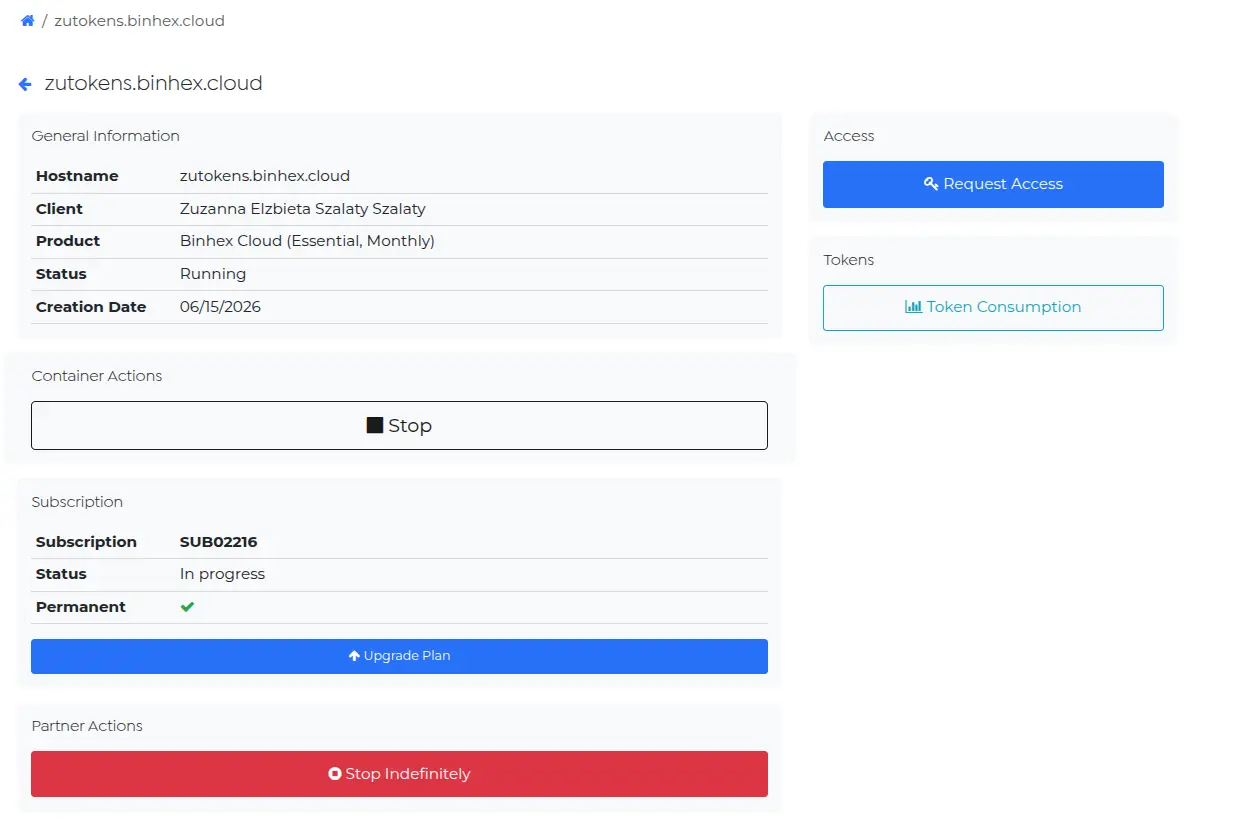
Each database now has a dedicated detail page. From a single view, you can:
- View database information
- Request access
- Upgrade services
- Start or stop the container
- View token consumption statistics
Start / Stop Operations
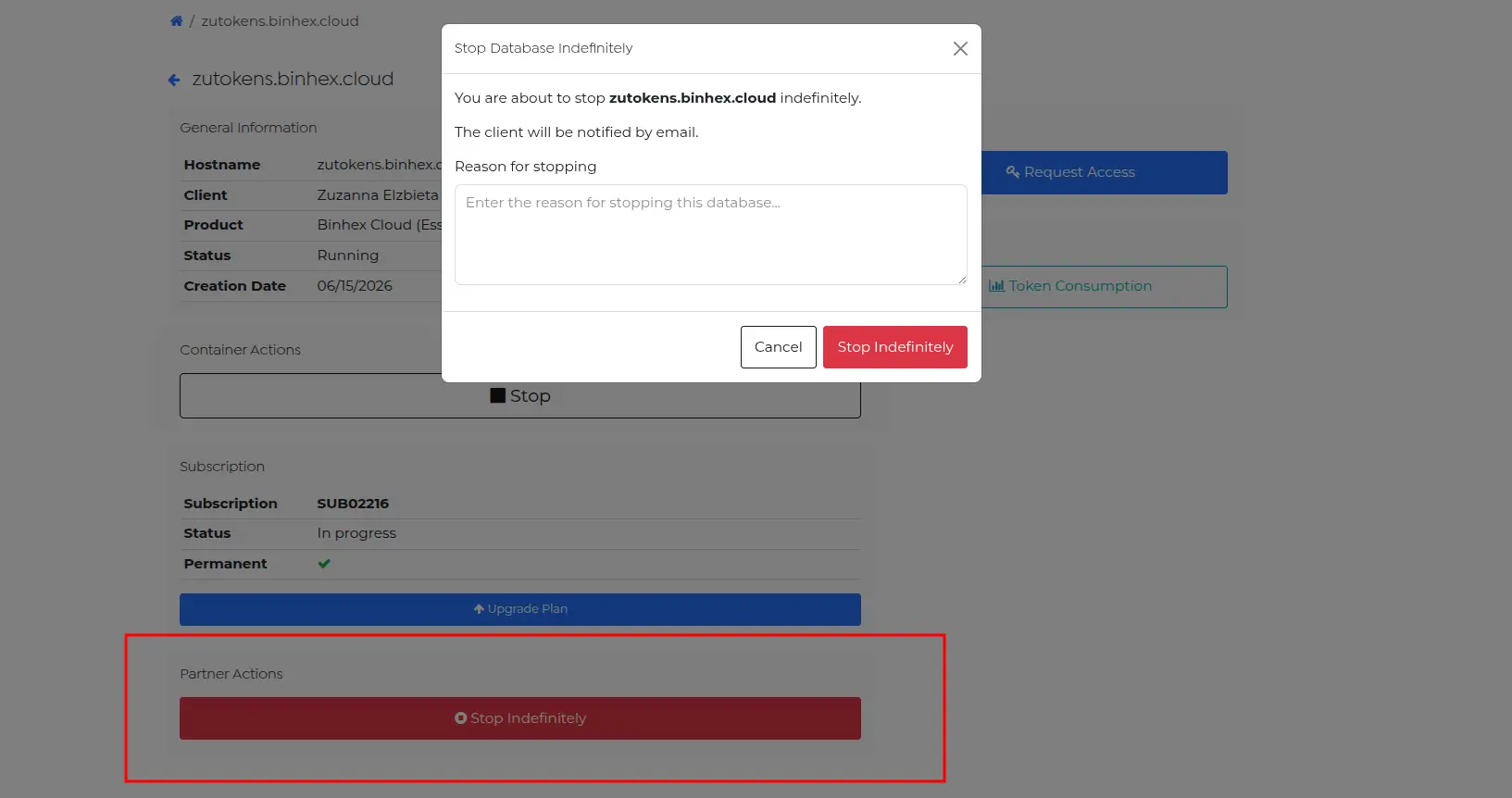
Container lifecycle management has been improved. You can now:
- Stop a container with a reason attached
- Restart it directly from the detail page
- Let the system apply the appropriate restrictions automatically depending on the environment state
4. Token Consumption Analytics
Monitor AI usage trends per container
Token Consumption Dashboard
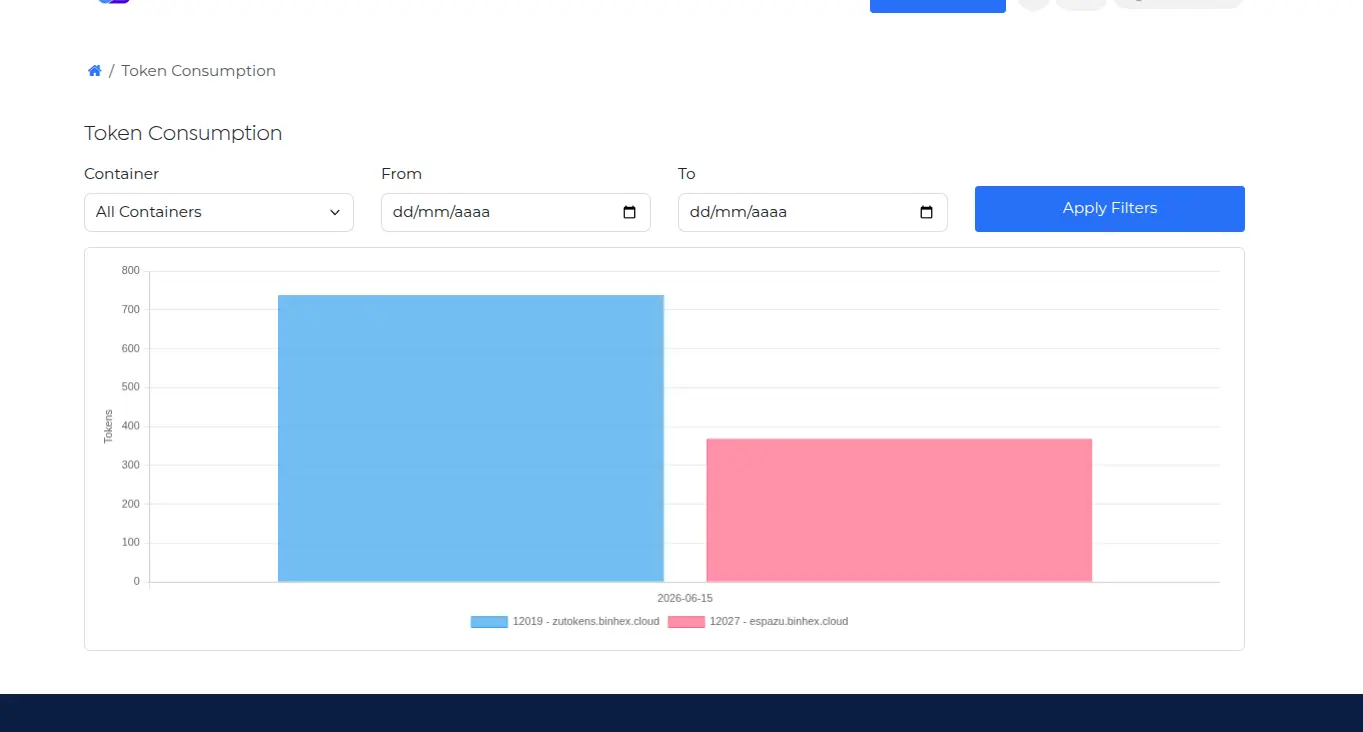
A new reporting section shows token consumption over time, broken down by container. You can see daily usage, spot peaks, and understand how AI resources are being consumed across your customer environments.
Container Filtering
Filter the view by a specific container to focus on one environment, or keep it on All Containers to compare usage side by side.
Statistics Shortcut
You no longer need to navigate to the analytics section manually. Open any database from the list, click View Statistics, and the consumption view for that specific container loads automatically.
5. Container Provisioning Improvements
Partner-specific infrastructure and trial token configuration
Partner-Specific Infrastructure Assignment
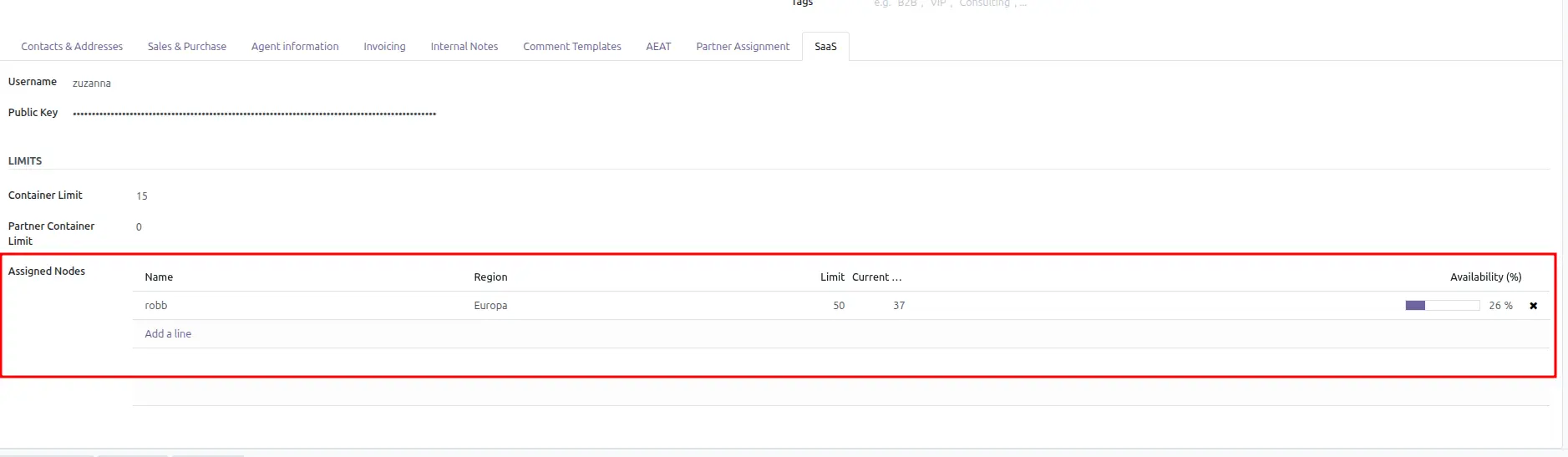
Partners can now be assigned to specific infrastructure nodes. When nodes are assigned, every new container for that partner is deployed exclusively on those nodes — giving you predictable placement without manual intervention at provisioning time.
Remove the node assignments and provisioning automatically falls back to the default infrastructure pool.
Trial Token Assignment
Trial token quantities can now be configured directly on products. When a database is created using that product, the token amount is assigned automatically — no manual allocation needed after provisioning.
6. Sales & Subscription Improvements
Faster billing relationships and a more reliable configuration experience
Automatic Partner Assignment
Partner relationships are now assigned the moment an order is created. Your commercial team has the right context from the first interaction — no additional steps or manual processing needed.
Credit Line Assignment
Containers are now automatically linked to their related credit lines, whether created from an order or a subscription. Billing relationships stay accurate without any manual intervention.
Subscription Configuration Improvements
Several issues affecting the subscription configuration wizard have been resolved:
- Dropdowns now populate correctly
- Fields display according to the current status
- Configuration changes can be saved reliably
Automatic Quotation Email
Customers now receive a quotation email automatically after a database creation request is submitted. No manual sending required.
7. User Interface Improvements
A cleaner, more consistent portal experience
Password Setup Assistance
If a customer doesn't have portal credentials configured yet, the system now detects it and shows a guidance popup before provisioning continues. You won't accidentally create a database without a valid access path in place.
Set Password Action
A new Set Password action is available directly from customer records. Set or reset credentials without leaving the interface.
Portal Navigation Improvements
Several usability improvements have been made throughout the portal:
- Dedicated dashboard cards for faster access to each section
- Improved navigation structure
- Better breadcrumbs throughout the portal
- Cleaner sidebar
- Improved visual consistency across pages
Ready to offer the best cloud infrastructure to your clients?
Discover our partner benefits, explore our flexible pricing, and start managing your customers with total autonomy from the new portal.