Open source accounting software, powered by AI
A full general ledger with AI invoice capture, automatic bank reconciliation, and real-time reports — in one system. This is open source accounting software built on Odoo, connected to your finance ERP, where an AI assistant does the data entry and you review.
AI-powered accounting · Open source · Free plan to start
See how AI automates your accounting
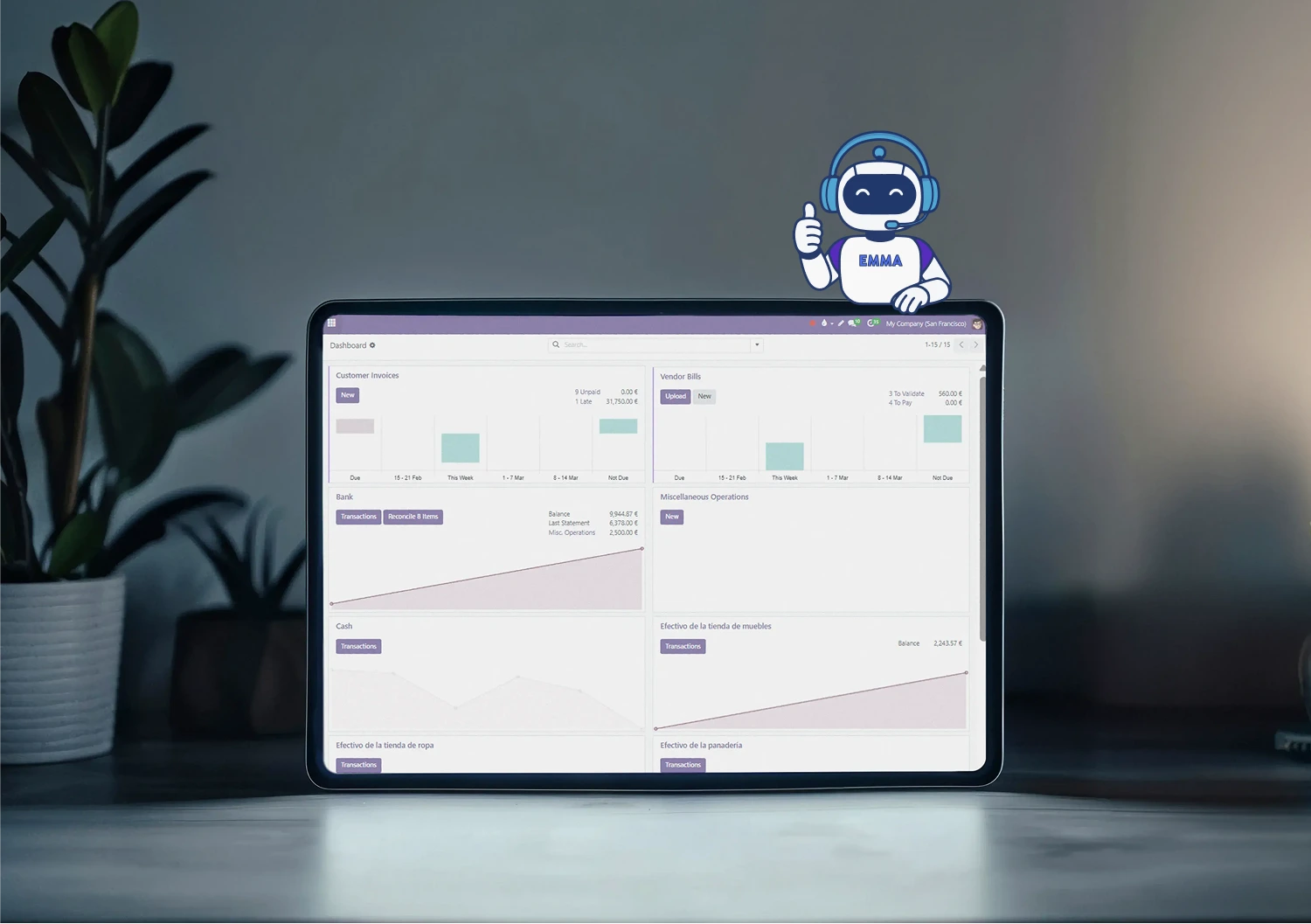
Accounting that runs your whole finance ecosystem
Designed for finance teams that want a real ledger with automation built in — not generic ERP promises, and not a closed system you can't control.
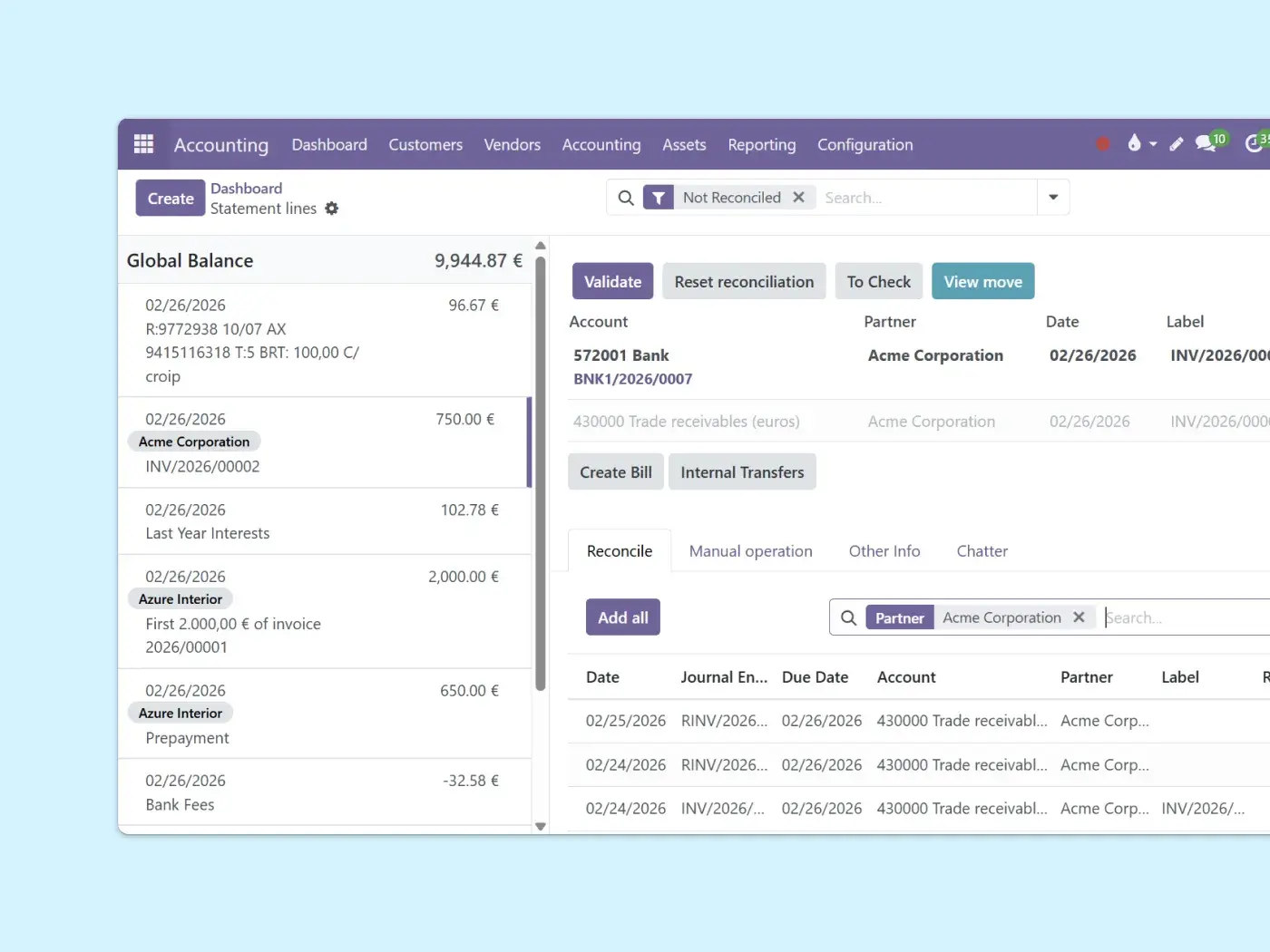
Automatic bank reconciliation
Sync bank statements and match transactions with smart rules.
Close your books faster with fewer errors. The system suggests matches based on your history and learns your patterns, and you can match payments during reconciliation without leaving accounting.
Real-time financial reporting
Profit and loss, balance sheet, and cash flow — always up to date, no spreadsheets needed. Every posted invoice, expense and payment updates your reports the moment it happens.
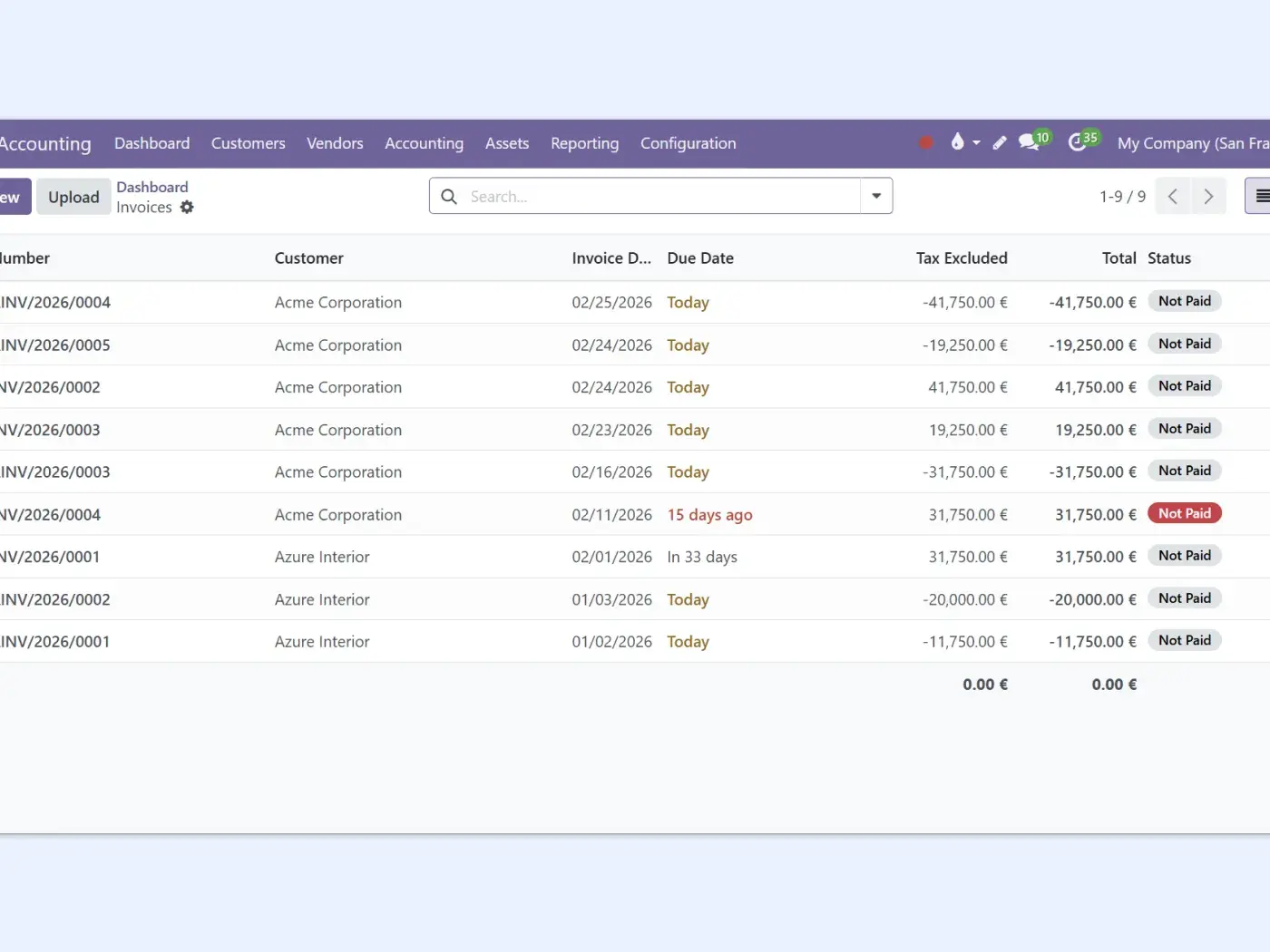
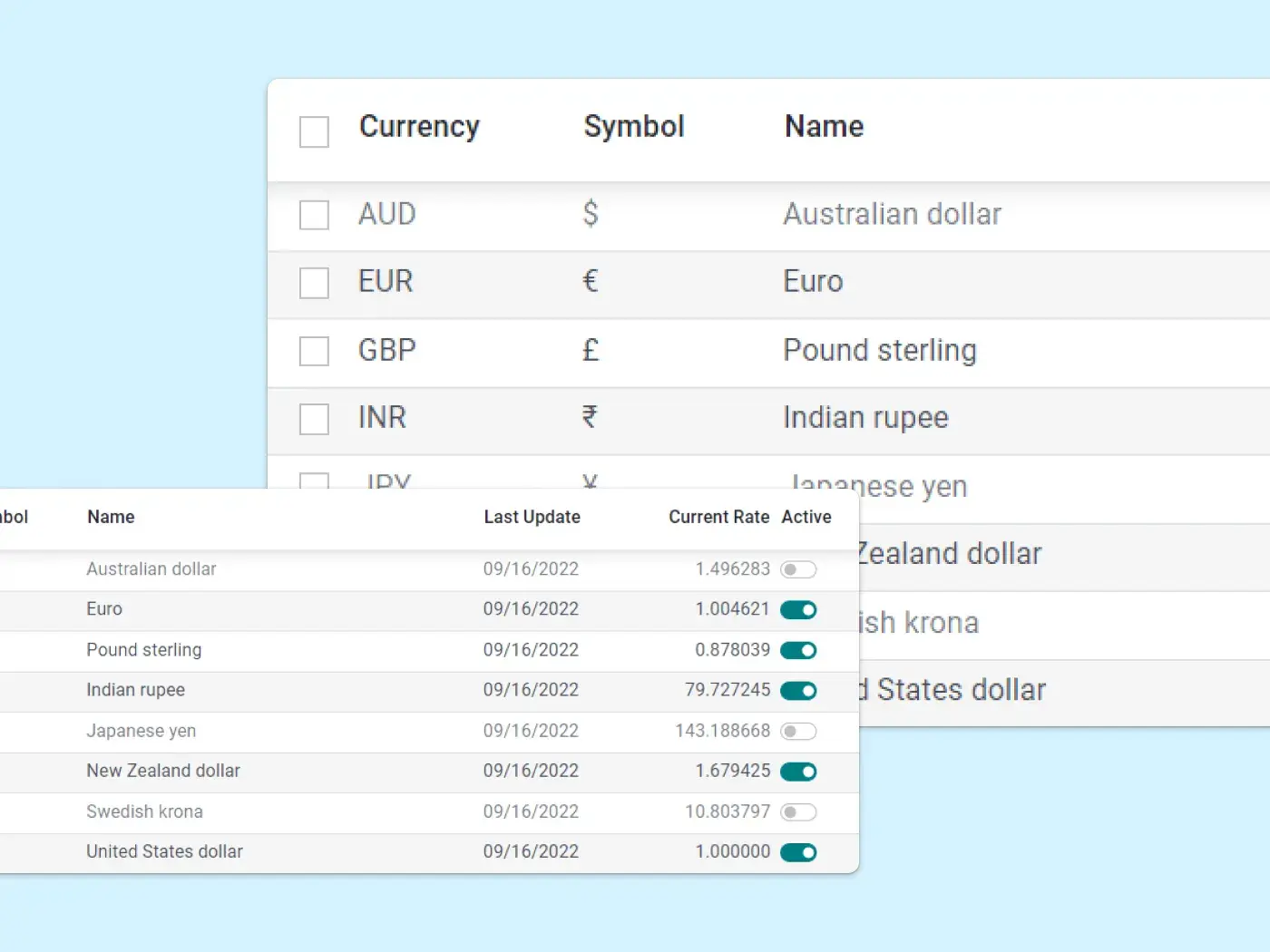
Multi-company and multi-currency
Manage multiple entities and currencies from one accounting system, with automatic exchange-rate updates and consolidated reporting included — no separate tools, no manual consolidation.
How Emma automates your accounting in Odoo — in 3 steps
Watch Emma set up your accounting, capture invoice data, and help reconcile your bank — all inside Odoo.
Ask Emma
She sets up your accounting and chart of accounts.
Upload a bill
AI captures the vendor, lines, taxes and amounts automatically.
Review and approve
You confirm, and Emma learns your patterns for next time.
See the full accounting tutorial with Emma:

AI invoice & bill capture, no manual data entry
Upload or email a PDF and AI reads it for you — then you review instead of retype.
OCR + AI extraction
Vendor, dates, taxes, totals and line items are detected and a draft bill is created automatically.
Upload or email it in
Drag a file in, or forward supplier invoices to a journal email alias and they become draft bills.
It learns as you go
Your corrections train the model, so recognition improves and reconciliation gets faster over time.
AI document capture uses prepaid credits, so high invoice volumes have a small per-scan cost.
Let AI keep your books, start free
Free plan, no credit card. And Emma helps you set it up from the first click.
See plans & pricing Talk to an expertBuilt for the way your business does accounting
Whether you keep the books yourself or run a finance team, the work is the same — minus the typing.
Bookkeepers
Let AI handle data entry and reconciliation so you spend time on review, not retyping bills.
Controllers & CFOs
Real-time P&L, balance sheet and cash flow across companies, without waiting for month-end.
Growing businesses
Start on a free plan and scale into a full ERP as you add invoicing, expenses and payments.
How Binhex compares to QuickBooks, Xero and Sage
The mainstream tools are polished and proven. The difference is openness, AI included in the platform, and one connected ERP instead of add-ons.
What matters |
QuickBooks / Xero / Sage |
Binhex Accounting |
|---|---|---|
| Open source & data ownership | Proprietary | Open source, your stack |
| AI invoice capture included | Often add-on / higher tier | Built in (credit-based) |
| Part of a full ERP | Standalone + integrations | One connected system |
| Multi-company consolidation | Higher plans | Included |
| Mature, polished UX | Yes | Yes |
| Pricing model | Per company / tiered | Per user, free plan to start |
Everything included in your accounting workspace
✔ General ledger and chart of accounts
✔ Customer and vendor payments
✔ Bank integrations and imports
✔ Payment providers (Stripe, PayPal)
✔ Audit trail and traceability
✔ Configurable taxes and withholdings
✔ Electronic invoicing (by country)
✔ Customizable real-time reports

Connect accounting with the rest of your finance apps
Accounting is the financial backbone of your ERP. Every transaction flows automatically.



Open source accounting software FAQ
Open source accounting software is built on a codebase you can inspect, host and extend, rather than a closed proprietary system. Binhex accounting runs on Odoo, so you keep control of your data and your stack while getting a full general ledger, reporting and AI automation inside one ERP.
Both. You can run it in the cloud managed by Binhex, or self-host it because it is open source. Either way you work in the same web interface from any device, and your books stay connected to the rest of your ERP.
Odoo uses OCR and AI to read scanned or PDF vendor bills and invoices and create draft accounting entries with the vendor, amounts, taxes and lines already filled in. It also suggests bank-reconciliation matches and learns from your corrections, so the more you use it the less manual entry you do. You review and approve rather than type.
Yes. You can import bank statements or connect bank feeds, and the system matches transactions to your records with smart reconciliation rules. Recurring patterns like bank fees or internal transfers can be recognized and posted automatically. Available bank connections depend on your country.
Yes. Manage multiple entities and currencies from one accounting system, with automatic exchange-rate updates and consolidated reporting across companies — no separate tools or manual consolidation spreadsheets.
Yes. Taxes are configurable per jurisdiction so they calculate automatically, and electronic invoicing is supported in many countries. Specific tax and compliance obligations vary by country, so we help you configure it for yours during setup. This is general information, not legal advice.
Yes. Accounting is the financial backbone of the ERP: invoices post straight to the ledger, employee expenses are booked automatically, and customer and vendor payments are matched during reconciliation. Everything posts to the same books in real time.
You pay per user on the plan you choose, and there is a free plan to start. The AI document digitization uses prepaid credits, so very high invoice volumes have a small per-scan cost. The free trial lets you set it up and test it with your team before committing. Start free to try it in your own workspace.