00 Intro
If you've started looking into Verifactu, it probably sounds like a hassle: certified software, digital certificates, modules, deadlines; and the feeling you'll need to hire someone to set it all up.
You don't. You can set up Verifactu for free, yourself, with no technical knowledge and in a matter of minutes.
This guide walks you through the whole process, step by step and with screenshots, using a free Odoo-based tool and an AI assistant that does the heavy lifting for you.
With Binhex Cloud you can comply with the Verifactu regulation at no cost, with nothing to install and no technical skills. Its AI assistant, Emma, installs what's needed, guides you through the certificate, and helps you issue your first invoice with the AEAT QR code, all in a conversation that takes minutes.
Table of contents
- What is Verifactu and who does it affect?
- What you need to comply with Verifactu
- How to set up Verifactu, step by step
- How much does it cost?
- FAQ
01 What is Verifactu and who does it affect?
Verifactu is the Spanish regulation that requires an invoicing system to record and report your invoices to the Tax Agency (AEAT) in a secure, tamper-proof way. In practice, your software has to generate invoices with a QR code and specific requirements the Agency can verify.
It affects most self-employed workers and SMEs that issue invoices in Spain, and becomes mandatory from 2027.
You still have time, but getting it done early saves you the last-minute rush.

02 What you need to comply with Verifactu
To comply with Verifactu you need two things:
- A digital certificate that identifies your business to the Tax Agency.
- Invoicing software ready for Verifactu, able to generate invoices with the required format and QR code.
You get the certificate from the AEAT or FNMT electronic office, if you don't have one yet. The software is where most people get stuck, and where Binhex Cloud makes it easy: it's free, built on Odoo, and already prepared for Verifactu. No expensive license, no developer needed.
03 How to set up Verifactu, step by step
Here's the process, using Binhex Cloud and its AI assistant, Emma. The point is you won't navigate technical menus: you tell Emma what you need, in plain language, and she handles it.
Step 1: Create your free account
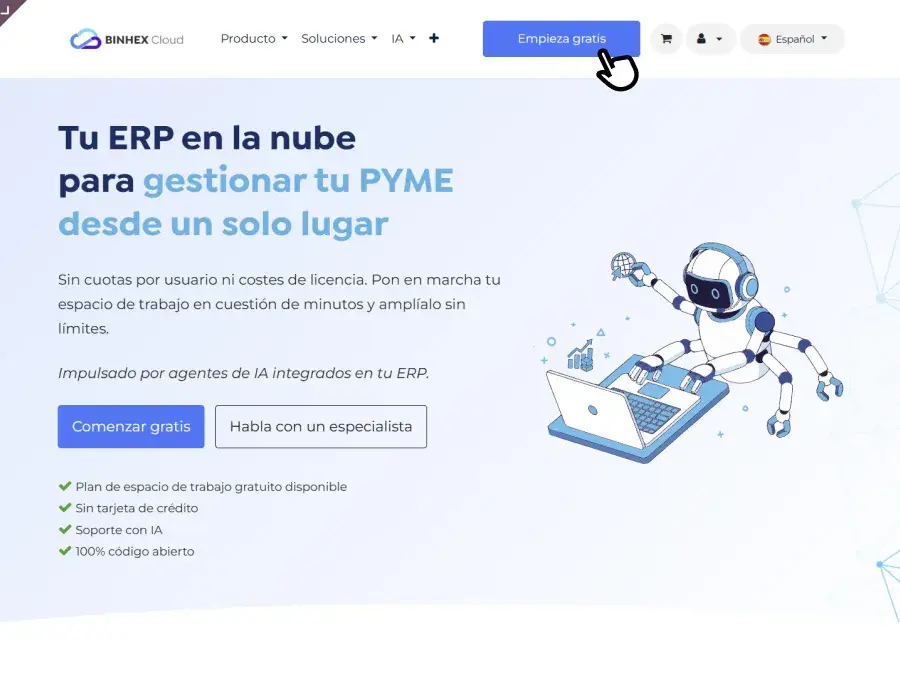
Go to binhex.cloud and click "Start free." Fill in your basic company details and create your workspace. Behind the scenes, a full Odoo is set up, with nothing to install on your computer. In a couple of minutes you'll get an email to set your password, and you're in.
Step 2: Ask Emma to set up Verifactu
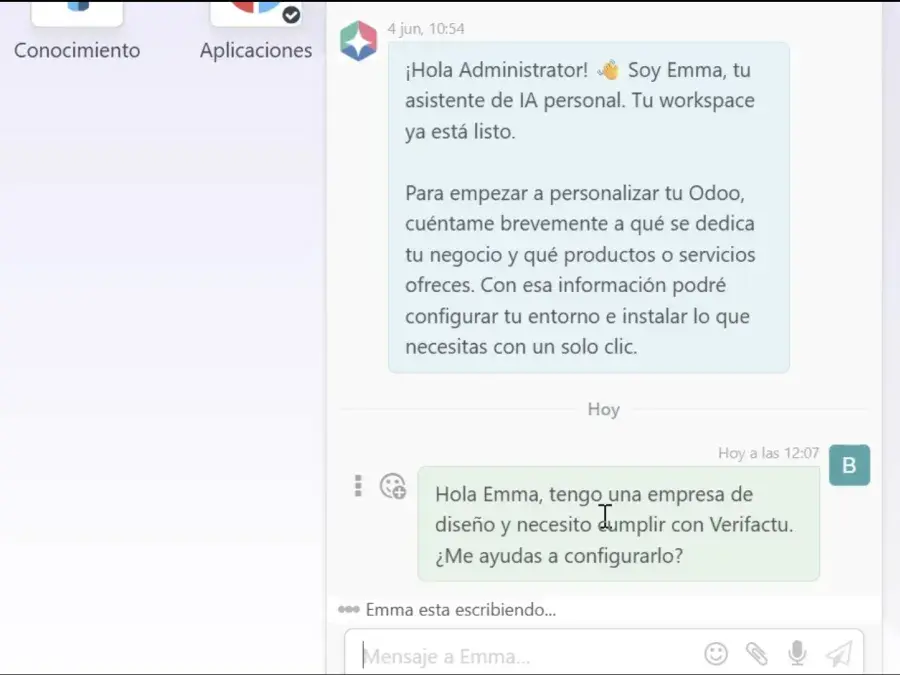
Once inside, open Emma's chat. Instead of searching through options, just write what you want: "I want to set up Verifactu for my company." Like asking a teammate. That one sentence kicks off the process
Step 3: Let Emma install what's needed
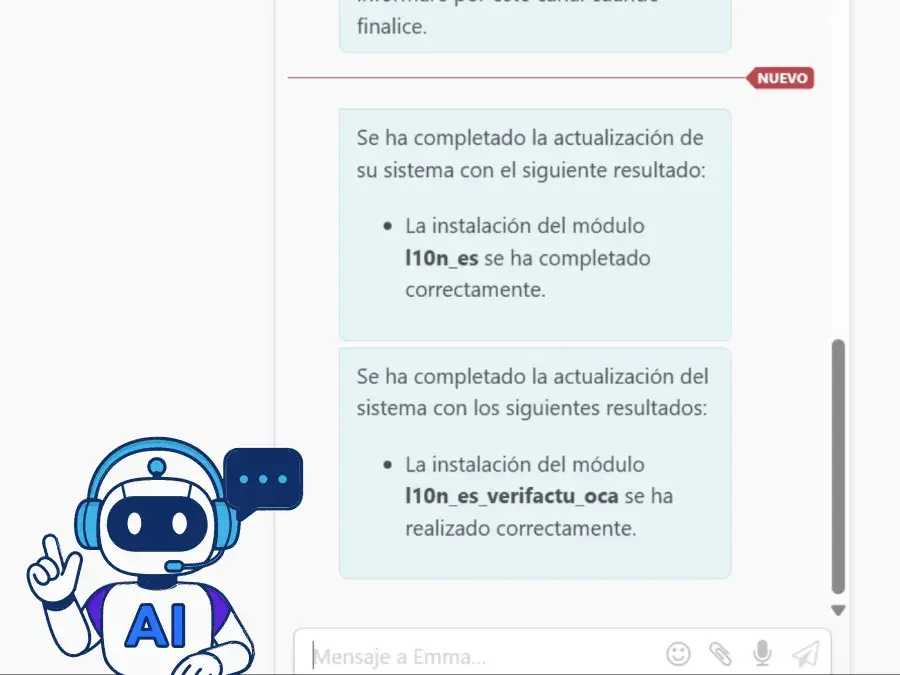
Emma knows what's required. She installs Spain's invoicing modules, and flags that your chart of accounts should be updated. A couple of confirmations, and it's done. You haven't touched a single technical menu.
Step 4: Upload your digital certificate
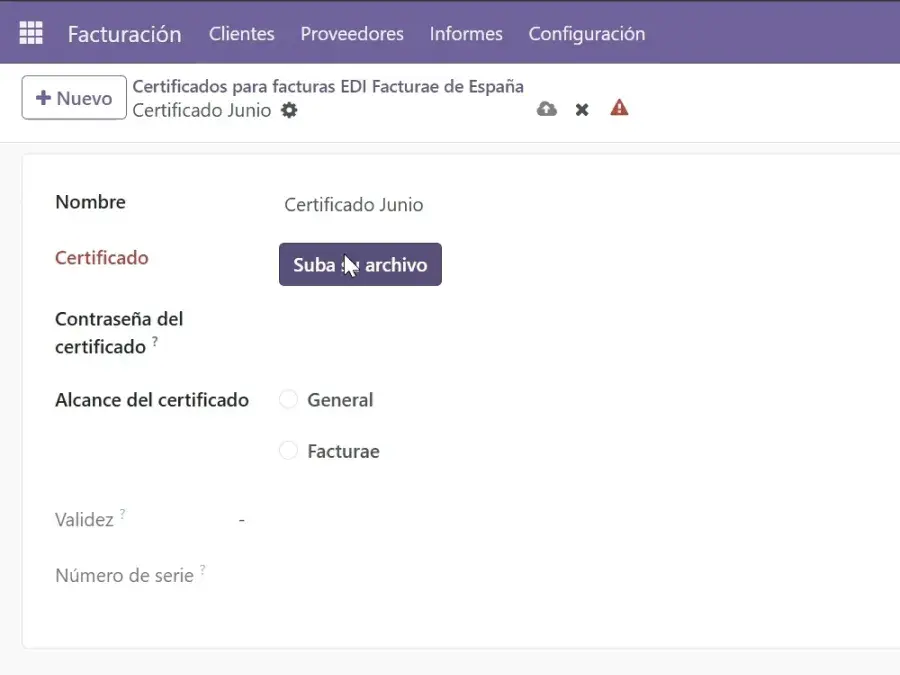
Now the key piece: the digital certificate, the file that identifies your business to the Tax Agency. Tell Emma you already have yours, and she'll show you exactly where to upload it. Without it, Verifactu can't work, so this step is essential.
Step 5: If you get stuck, just ask Emma
It's normal not to find an option at some point. When that happens, don't waste time searching, ask Emma directly ("I can't find this, where is it?") and she'll point you to the right place. That's the real difference from doing it alone: if you get stuck, you ask and keep going.
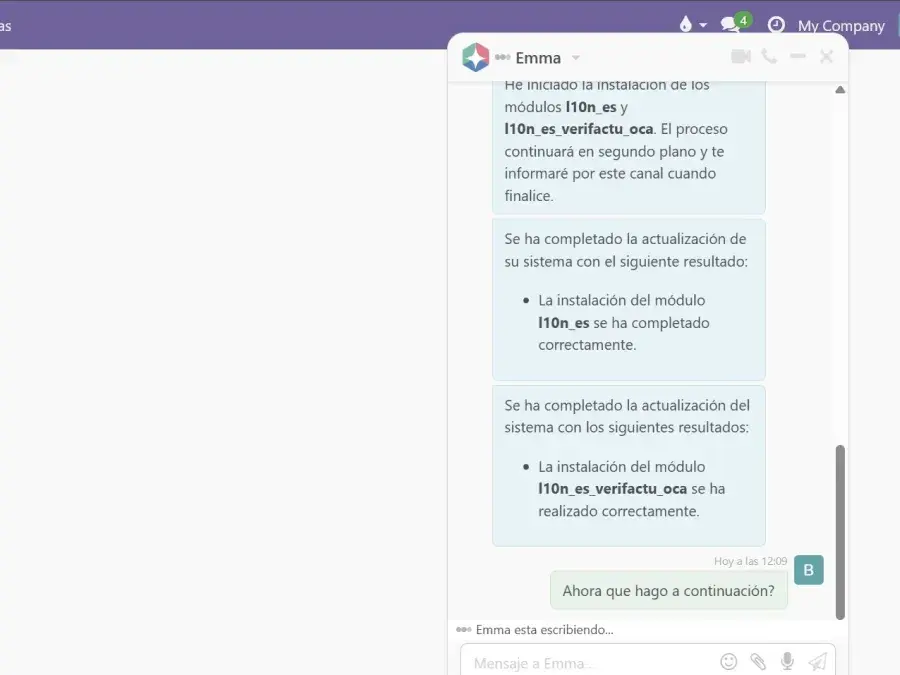
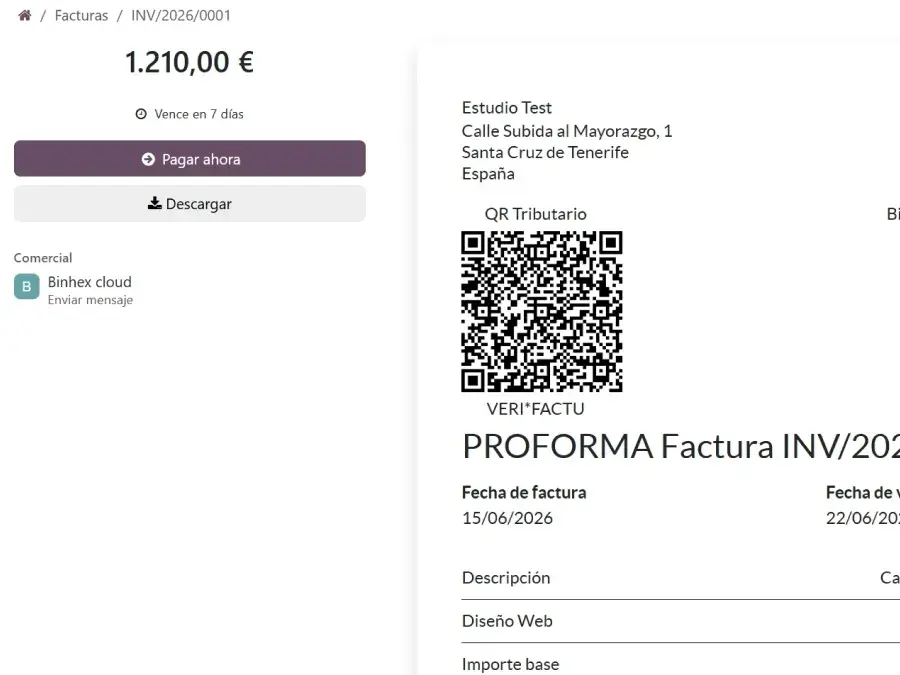
Step 6: Issue your first Verifactu invoice
With the certificate uploaded, the important part: creating a real invoice. Ask Emma, follow her lead, and you'll have your first invoice with the Verifactu QR code generated automatically. That QR is exactly what the Tax Agency receives. From there you can email it to your client.
04 How much does it cost to set up Verifactu?
Nothing. Binhex Cloud's free plan lets you comply with Verifactu at no cost and with no credit card: it includes access to the platform and to Emma to get everything configured. If your business grows and you need more users or features, there are paid plans — but to meet the regulation, you don't need to pay anything.
04 Questions you're probably asking
No. It becomes mandatory from 2027 for most self-employed workers and SMEs in Spain. You still have time, but it's worth setting it up early.
No. With Binhex Cloud and its assistant Emma, you can set it up yourself with no technical skills — you ask in plain language and she handles the process.
Yes. Binhex Cloud is built on Odoo Community and comes ready for Verifactu, with Spain's invoicing modules already integrated.
Yes. Binhex Cloud's free plan lets you comply with the regulation at no cost and with no credit card.
Yes. The whole process is guided by Emma: she installs what's needed, tells you where to upload the certificate, and walks you through issuing your first invoice.
Set up Verifactu for free
Complying with Verifactu doesn't have to be a technical project or an expense. With a free Odoo-based tool and an AI assistant that does the heavy lifting, you get it done in a conversation of minutes.
Empiece a escribir aquí...
How to set up Verifactu for free, step by step