Software de contabilidad open source, con IA integrada.
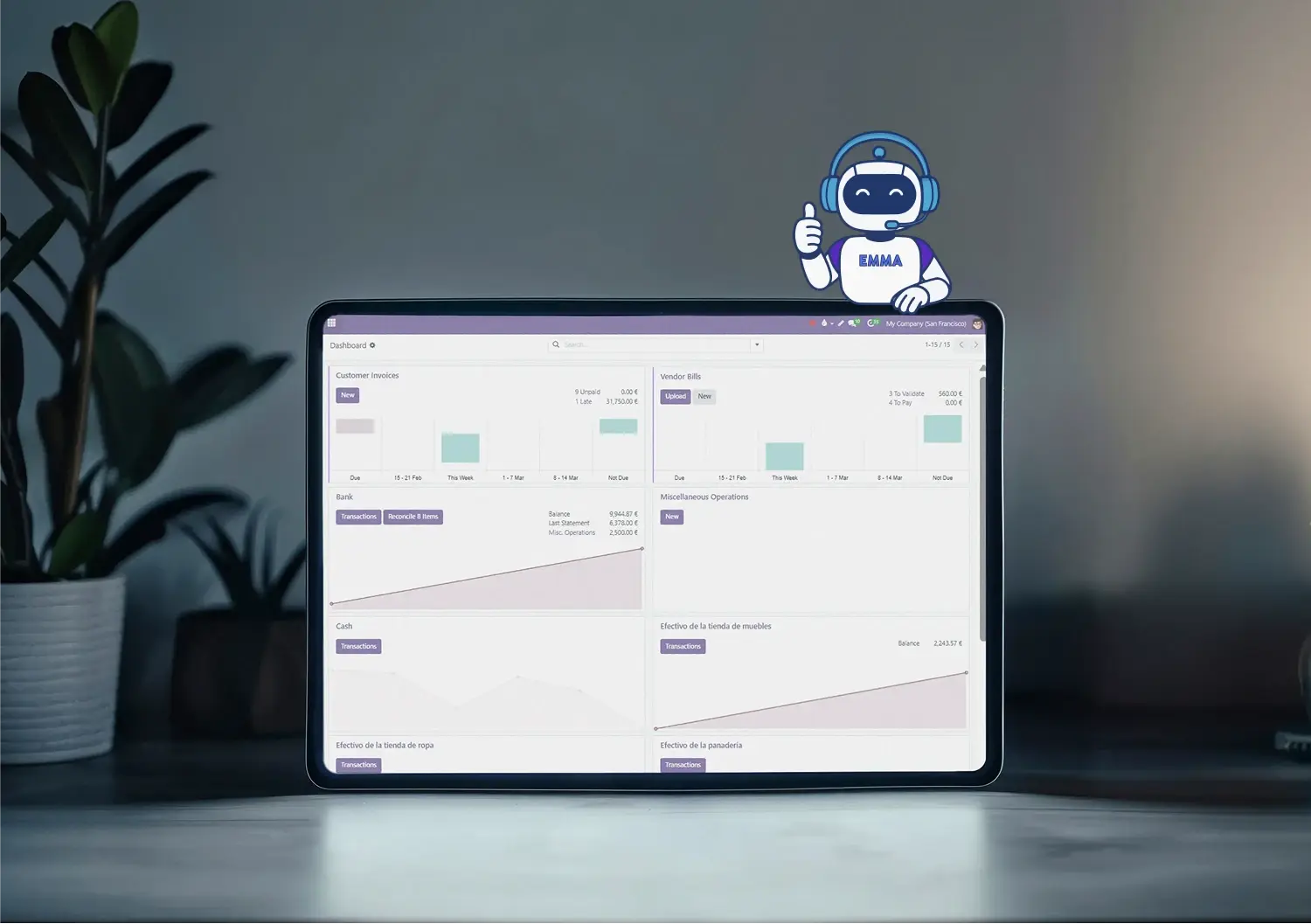
Un libro mayor completo con captura de facturas por IA, conciliación bancaria automática e informes en tiempo real, todo en un mismo sistema.
Empieza gratis Automatización con IA
Construido sobre Odoo, conectado a tu ERP financiero.
Empresas en crecimiento de 5 a 500 empleados ya confían en Binhex.







No aprendas un software de contabilidad. Pídeselo a Emma.
Cero configuración
pídele a Emma lo que necesitas y ella configura tu plan contable y los módulos.
Cero introducción de datos
sube una factura o reenvíala por email, la IA la lee y prepara el borrador.
Cero datos desactualizados
la conciliación y los informes se actualizan en el momento en que se registra cualquier movimiento.
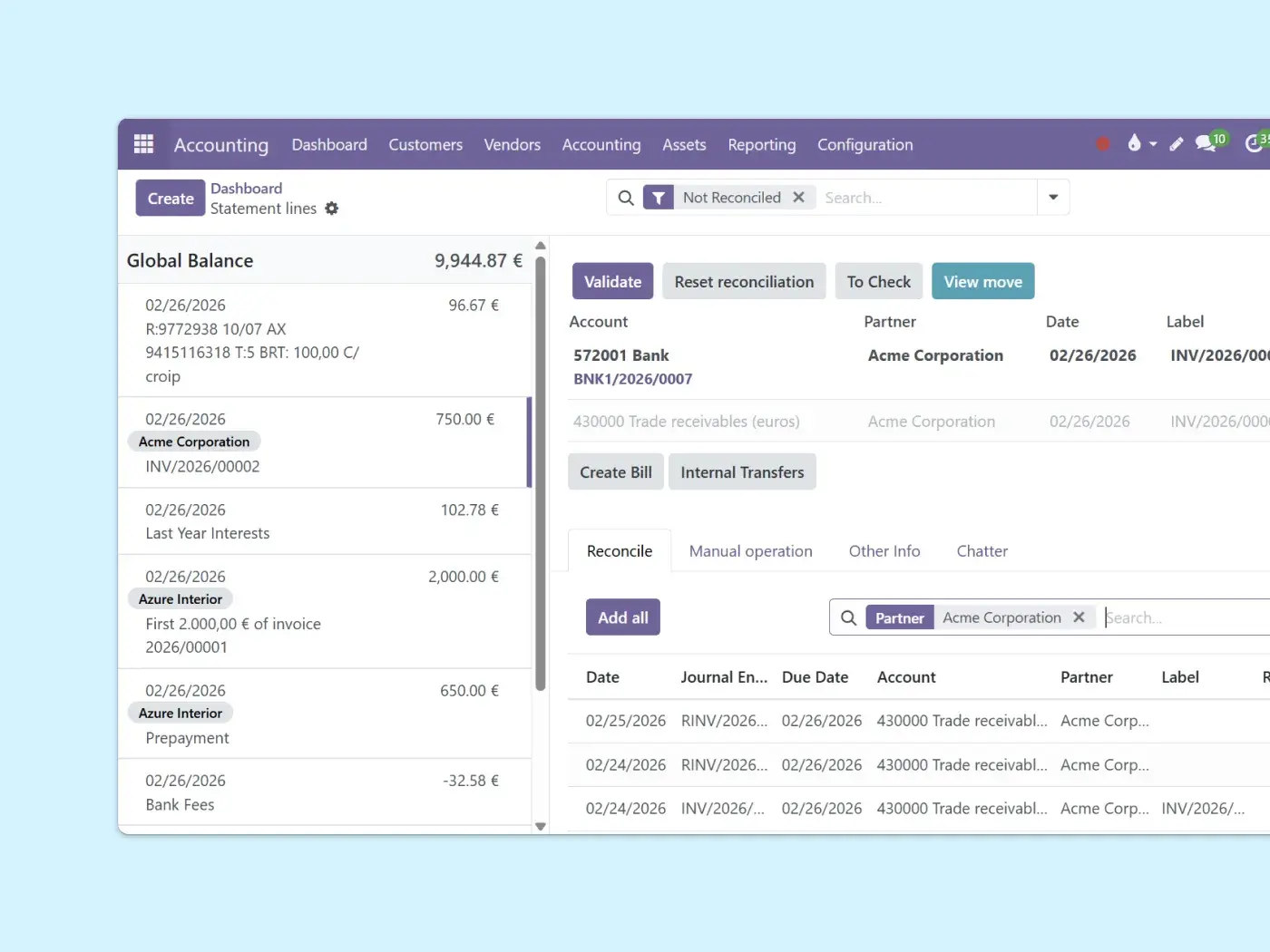
Captura de facturas por IA y conciliación bancaria.
Sube una factura, conecta tu banco y Emma hace el resto. Tú revisas en lugar de teclear.
OCR + extracción con IA desde PDFs o facturas recibidas por email.
Emparejamiento inteligente de movimientos bancarios, aprende tus patrones con el tiempo.
Tú revisas y apruebas, Emma se encarga de escribir.
La captura de documentos con IA consume créditos de prepago, así que un volumen alto de facturas tiene un coste mínimo por escaneo.
Informes financieros en tiempo real.
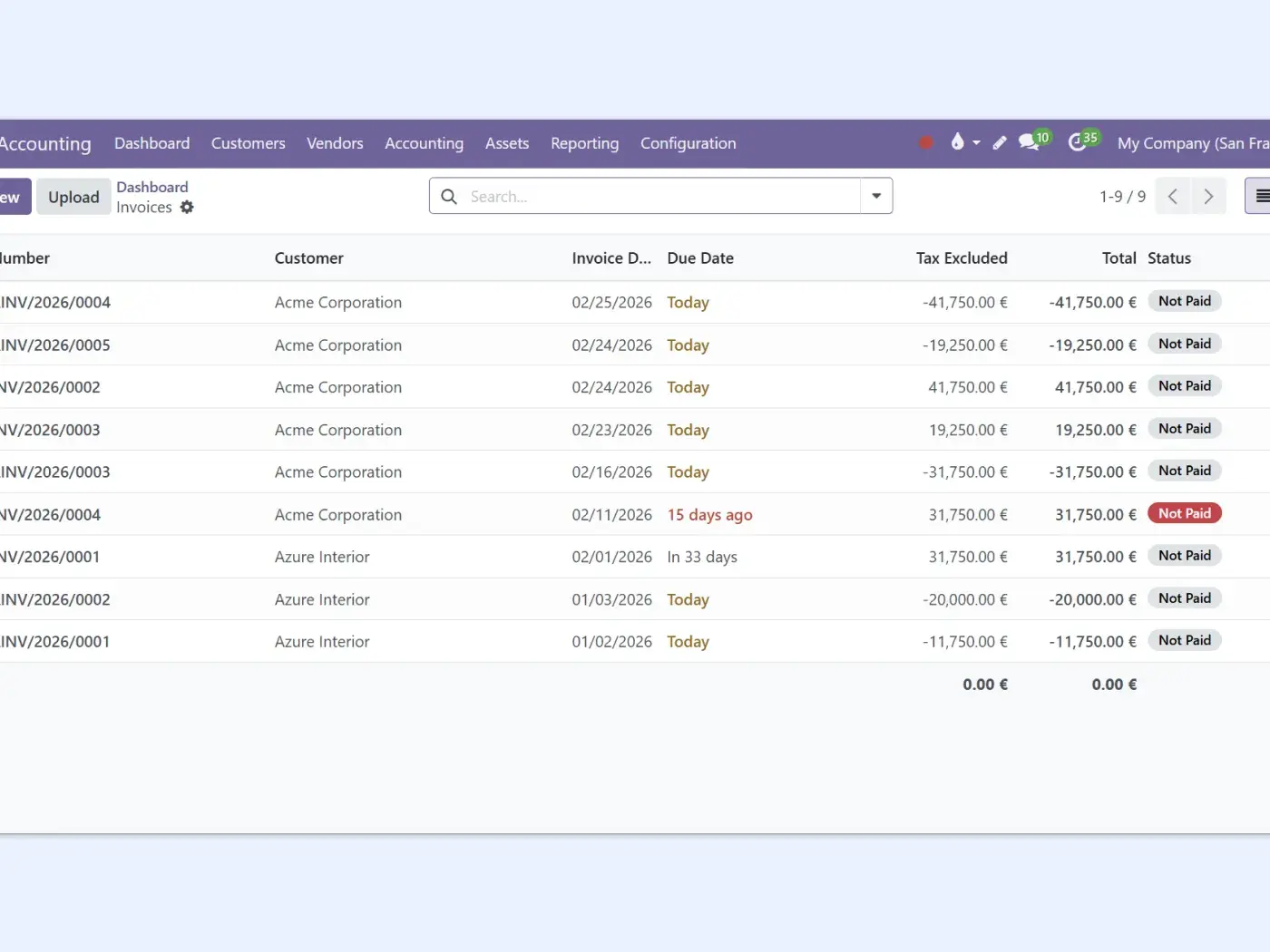
Cuenta de resultados, balance y cash flow, siempre al día, sin hojas de cálculo. Cada factura, gasto o pago registrado actualiza tus informes en el momento.
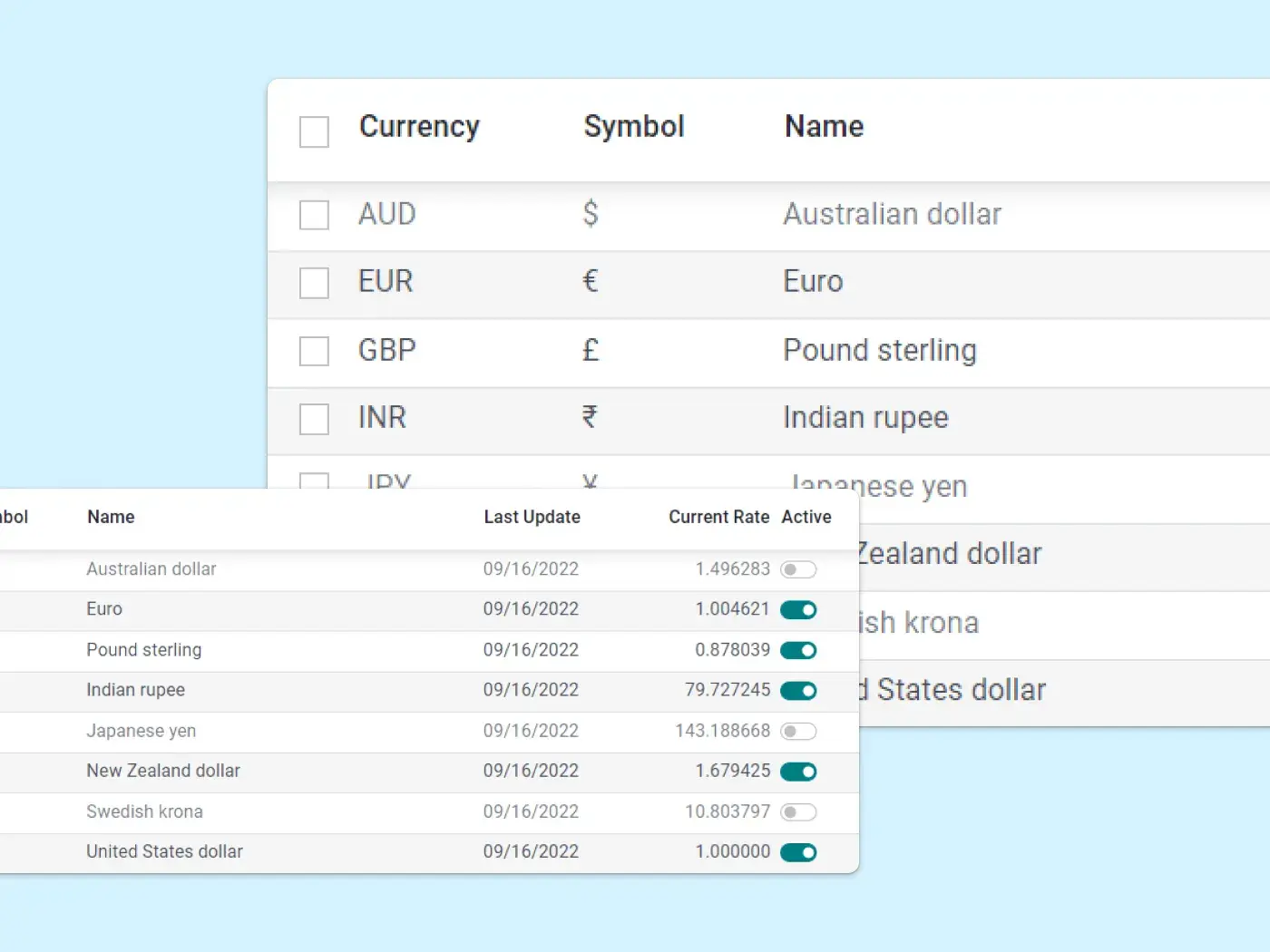
Multiempresa y multimoneda.
Gestiona varias empresas y divisas desde un único sistema contable, con actualización automática de tipos de cambio e informes consolidados incluidos, sin herramientas adicionales ni consolidaciones manuales.
AI para ERP
Deja que la IA lleve tus libros, empieza gratis
Plan gratuito, sin tarjeta. Y Emma te ayuda a configurarlo desde el primer clic.
Cómo se compara Binhex con QuickBooks, Xero y Sage
Las herramientas mainstream son sólidas y probadas. La diferencia está en la apertura del código, en la IA incluida de serie y en tener un ERP conectado en lugar de una app con integraciones.
| Binhex Accounting | QuickBooks / Xero / Sage | |
|---|---|---|
| Código abierto y propiedad de tus datos | Open source, tu stack | Propietario |
| Captura de facturas con IA incluida | Incluida (basada en créditos) | Suele ser add-on o plan superior |
| Parte de un ERP completo | Un sistema conectado | Independiente + integraciones |
| Consolidación multiempresa | Incluida | En planes superiores |
| Interfaz madura y pulida | Sí | Sí |
| Modelo de precios | Por usuario, con plan gratuito | Por empresa / por tramos |
COMPLIANCE Y MÁS
Compliance, gestionado por Emma.
Verifactu sin tocar una sola configuración
Certificados, conexión con la AEAT y reglas de facturación configurados a través de una conversación guiada con Emma AI. Incluido sin coste adicional.

Sales tax de EE. UU. sin consultor fiscal
Tipos, reglas y presentaciones gestionados dentro de tu ERP, con Emma AI manteniendo cada transacción en regla.
Contabilidad automática en 2026
Cómo la IA está transformando los asientos contables y el día a día de la contabilidad para empresas y asesorías.

Registra un gasto con una foto
Haz una foto al ticket, reenvíalo por email y Emma lo contabiliza, con proveedor, impuesto e importe ya cuadrados.
Todo lo que incluye tu workspace de contabilidad.
Libro mayor y plan contable: la base contable por partida doble, lista para multidivisa y consolidaciones.
Conciliación bancaria e importaciones: conecta tus feeds bancarios o importa extractos, y concilia movimientos con reglas inteligentes.
Captura de facturas con IA: el OCR extrae proveedor, fechas, impuestos y totales desde PDFs o facturas recibidas por email.
Facturación electrónica e impuestos: impuestos configurables por país, retenciones y facturación electrónica según jurisdicción.
Informes financieros en tiempo real: cuenta de resultados, balance y cash flow personalizables, actualizados en el momento en que se registra cualquier movimiento.
Pagos de clientes y proveedores: Stripe, PayPal y pagos manuales conciliados automáticamente, con trazabilidad completa.

Conecta la contabilidad con el resto de tus apps financieras
La contabilidad es la columna vertebral financiera de tu ERP. Cada transacción fluye automáticamente.




¿Quieres ver todo lo que puede hacer el área financiera?
Explorar apps financieras
Preguntas que probablemente te estés haciendo
Un software de contabilidad open source está construido sobre un código que puedes inspeccionar, alojar y ampliar, en lugar de un sistema propietario cerrado. La contabilidad de Binhex funciona sobre Odoo, así que mantienes el control de tus datos y de tu stack, con un libro mayor completo, informes y automatización con IA dentro de un mismo ERP.
Ambas. Puedes usarlo en la nube gestionada por Binhex, o alojarlo tú mismo porque es open source. En cualquiera de los dos casos trabajas desde la misma interfaz web en cualquier dispositivo, y tus libros siguen conectados al resto del ERP.
Odoo usa OCR e IA para leer facturas de proveedor escaneadas o en PDF y crear borradores de asientos con el proveedor, los importes, los impuestos y las líneas ya rellenados. También sugiere emparejamientos de conciliación bancaria y aprende de tus correcciones, así que cuanto más lo usas menos datos tienes que introducir. Tú revisas y apruebas, no tecleas.
Sí. Puedes importar extractos bancarios o conectar feeds bancarios, y el sistema empareja las transacciones con tus registros con reglas inteligentes de conciliación. Patrones recurrentes como comisiones o transferencias internas pueden reconocerse y registrarse automáticamente. Las conexiones bancarias disponibles dependen de tu país.
Sí. Gestiona múltiples entidades y divisas desde un único sistema contable, con actualización automática de tipos de cambio e informes consolidados entre empresas, sin herramientas adicionales ni hojas de cálculo de consolidación manual.
Sí. Los impuestos son configurables por jurisdicción para que se calculen automáticamente, y la facturación electrónica está soportada en muchos países. Las obligaciones fiscales y de compliance varían según el país, así que te ayudamos a configurarlo para el tuyo durante la puesta en marcha. Esta es información general, no asesoramiento legal.
Sí. La contabilidad es la columna vertebral financiera del ERP: las facturas se registran directamente en el libro mayor, los gastos de los empleados se contabilizan automáticamente, y los pagos de clientes y proveedores se emparejan durante la conciliación. Todo se registra en los mismos libros en tiempo real.
Pagas por usuario según el plan que elijas, y hay un plan gratuito para empezar. La digitalización de documentos con IA usa créditos de prepago, así que un volumen muy alto de facturas tiene un coste mínimo por escaneo. La prueba gratuita te permite configurarlo y probarlo con tu equipo antes de comprometerte.
Sí. Emma configura tu certificado digital, se conecta con la AEAT y prepara la facturación conforme a Verifactu a través de una conversación guiada, incluido sin coste adicional. Ver nuestra configuración de Verifactu..
Sí. Los tipos y las reglas de presentación se configuran dentro de tu ERP, y Emma mantiene cada transacción en regla mientras vendes. Ver automatización de sales tax..
Los contables dejan que la IA se encargue de la introducción de datos y la conciliación, y dedican su tiempo a revisar en lugar de a teclear facturas. Los responsables financieros y CFOs obtienen cuenta de resultados, balance y cash flow en tiempo real entre varias empresas, sin esperar al cierre de mes. Las empresas en crecimiento empiezan con el plan gratuito y escalan hacia un ERP completo a medida que añaden facturación, gastos y pagos.