Keeping your system up to date is essential for performance, security, and access to new features. At Binhex Cloud, we've simplified this process so you can update Odoo and Community Modules (OCA) with a single click, or even automatically.
Steps to update your Odoo with Binhex Cloud
1. Log in to the Binhex Cloud portal
Access https://binhex.cloud/my with their credentials.
2. Go to the “Databases” section
In the side menu you will find the Databases option, where you will see the list of your environments.
3. Select the database you want to update
Click the database name or the settings icon to see the available actions.
4. Click on “Update”
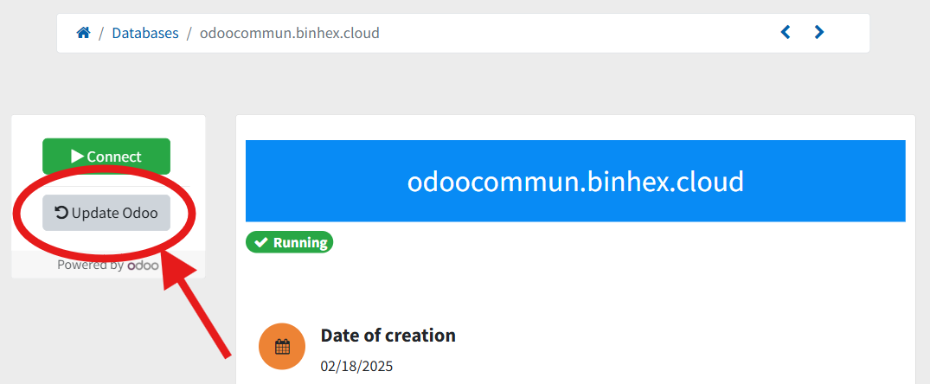
This button starts the automatic update process that:
- Download the latest stable version of the Odoo core.
- Update all OCA modules installed in that database.
- Keep a record with the details of the process.
5. (Optional) Enable automatic updates
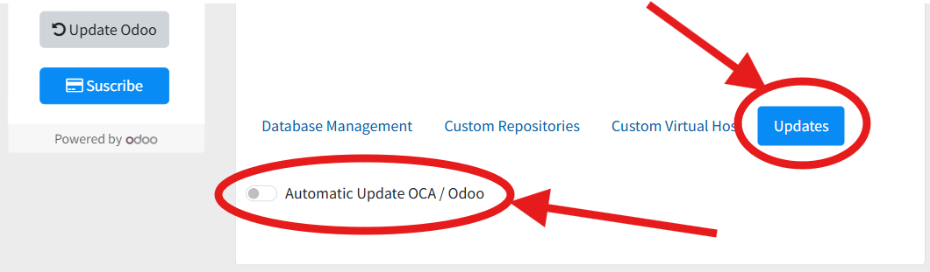 If you wish to keep the system always up to date, you can activate the Automatic Updates option. Binhex Cloud will check daily for new secure versions and apply them without manual intervention.
"For custom installations, we recommend updating manually, after a prior review, to avoid unexpected conflicts."
Why is it so important to keep the system updated?
Every day, both Odoo and the OCA release dozens of improvements and fixes. These updates range from minor tweaks to critical performance and security enhancements.
- Odoo publishes between 10 and 30 updates daily, covering bug fixes, security, and feature improvements.
- OCA provides more than 50 updates per day, thanks to the constant work of hundreds of community contributors.
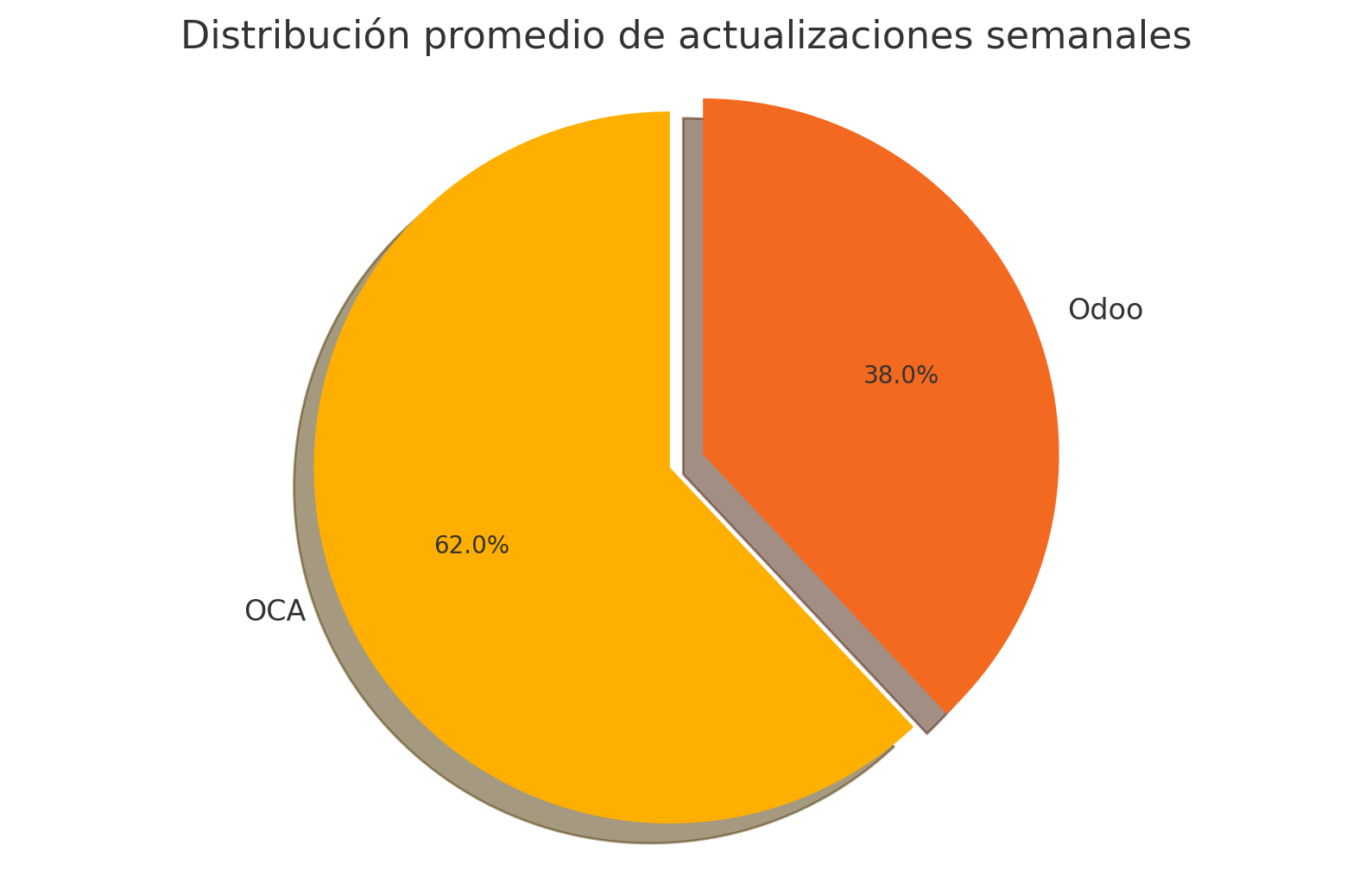
"This means that, in just one week, you could be ignoring more than 500 potential improvements for your system."
A practical guide to applying updates with a single click and getting the most out of daily improvements from Odoo and the OCA community.
📚 Why is it so important to keep Odoo updated?
We explain it in detail in this article:
👉 How to keep your Odoo up-to-date and competitive
Staying up to date allows you to:
- Avoid common mistakes.
- Improve system performance.
- Enjoy the new features immediately.
- To reduce the risk and cost of future migrations.
A safe and controlled process.
Binhex Cloud offers you peace of mind:
- Updates are applied securely.
- If any conflict is detected, the system will notify you before proceeding.
- You can check the update history at any time.
Do you have any questions or a complex installation?
Our team can help you define an upgrade strategy tailored to your environment, whether it's a standard system or one with advanced customizations.
How to keep your Odoo and OCA modules up to date with Binhex Cloud.